5 Organization Systems Compared for Busy Professionals
Five planner systems—paper and digital—show how matching tools to ADHD challenges like time blindness and task paralysis improves daily focus.
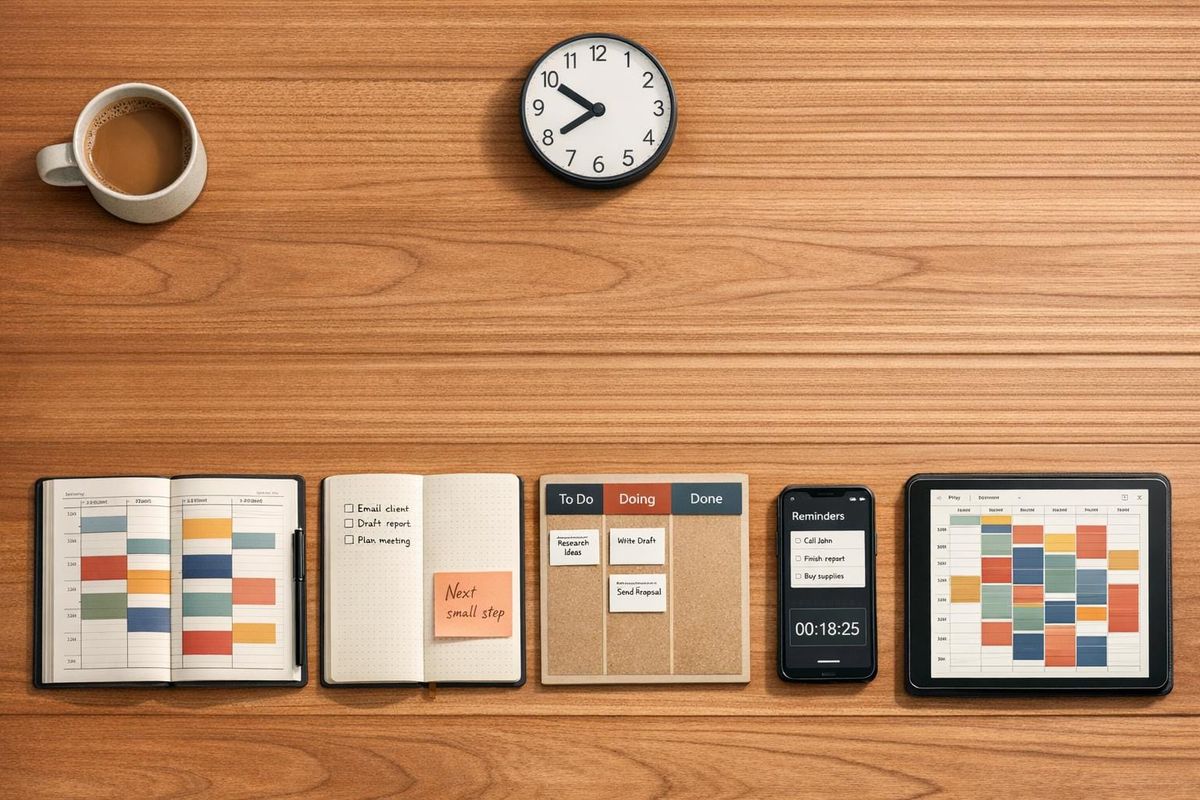
Managing your time and tasks can be challenging, especially if ADHD adds hurdles like time blindness or task paralysis. This article reviews five systems designed to address these challenges and help you stay organized:
- Happy Planner Disc-Bound System: Flexible layouts with visual aids like stickers and color coding. Costs $29.99–$34.99.
- Panda Planner: Structured for daily, weekly, and monthly planning with gratitude prompts. Costs $19.97–$24.99 per planner.
- Bullet Journal Method: Fully customizable notebook system for task tracking. Low-cost or premium options around $31.50.
- Trello Kanban Boards: Digital tool with drag-and-drop boards for task visibility. Free to $17.50/month per user.
- Structured App: Digital timeline planner to combat time blindness. Free to $84.99 for lifetime Pro access.
Each system has its strengths and limitations, making the choice dependent on your workflow and preferences.
Quick Comparison
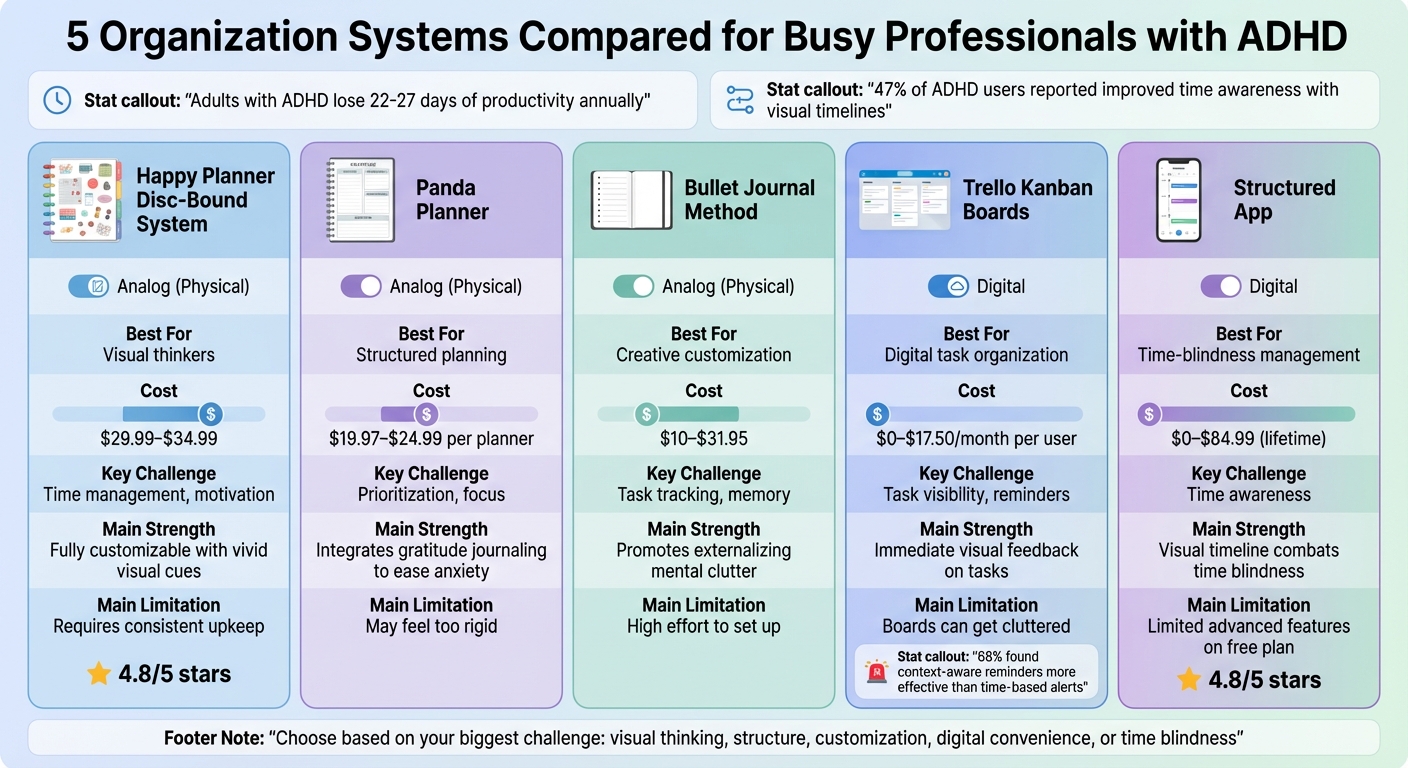
| System | Best For | Cost Range (USD) | Key Challenge Addressed | Main Limitation |
|---|---|---|---|---|
| Happy Planner | Visual thinkers | $29.99–$34.99 | Time management, motivation | Requires consistent upkeep |
| Panda Planner | Structured planning | $19.97–$24.99 | Prioritization, focus | May feel too rigid |
| Bullet Journal | Creative customization | $10–$31.95 | Task tracking, memory | High effort to set up |
| Trello | Digital task organization | $0–$17.50/month | Task visibility, reminders | Boards can get cluttered |
| Structured App | Time-blindness management | $0–$84.99 | Time awareness | Limited advanced features on free plan |
Choosing the right system can save you time and reduce stress. Start with one that fits your biggest challenge and adjust as needed.
5 Organization Systems for ADHD Professionals: Features, Costs & Best Use Cases Compared
Organization Systems That Work for Adults with ADHD
1. The Happy Planner Disc-Bound System

The Happy Planner uses a disc-bound binding, allowing pages to snap in and out without tearing. This makes it easy to reorganize as your needs shift. For professionals with ADHD, this flexibility can be a game-changer, letting you rearrange sections or remove skipped pages that might otherwise feel discouraging. Prices range from $29.99 for the Classic size to $34.99 for the Big version, with discounts occasionally dropping the cost to around $20.99.
Customization
Personalizing your Happy Planner is simple. Start by choosing a cover, then select from over 26 disc colors, and finally pick a layout. Layout options include the Dashboard, which highlights weekly priorities alongside daily tasks, and the Hourly, which schedules your day from 6 a.m. to 8 p.m. - a helpful tool for managing time blindness. One user, E. S., shared their enthusiasm:
"I am excited about my planner... Recommend to everyone, especially my ADHD kin"
The Classic Custom Planner boasts a 4.8/5 star rating, with users highlighting its ability to combine fitness, financial, and work planning in one place. Its ADHD-specific features are particularly designed to address executive function challenges.
ADHD-Specific Features
The planner includes elements like color-coding and stickers, which provide visual stimulation and small dopamine boosts to maintain focus. Brain dump pages offer a space to clear mental clutter and break larger projects into smaller, achievable steps. Sarah, a marketing professional, shared her experience:
"The colorful layouts and stickers keep me engaged, and I actually look forward to planning now. It's made a huge difference in my work performance"
The disc-bound system also allows you to focus on one day at a time by removing other pages, helping to minimize visual overwhelm.
Cost (USD)
Beyond the base planner, you can purchase six-month extension packs of undated pages for about $12, making it easy to update your calendar without buying a new planner. For those who want to add their own pages, a mushroom-shaped hole punch costs between $30 and $50. Sticker books, a popular accessory, are priced around $19.99. Craft stores like Joann's and Michaels frequently offer discounts of 40% to 60%, which can help manage these additional costs.
Learning Curve
While the system is easy to get started with, the sheer variety of accessories can feel overwhelming for newcomers. To keep things simple, begin with the core planner, one sticker pack, and a few colored pens. Erasable pens are another handy tool, making it easy to adjust your schedule. As the NeuroLaunch Editorial Team explains:
"The ability to quickly reorganize the planner without feeling like you're 'messing it up' can reduce anxiety and increase the likelihood of consistent use"
This flexibility encourages consistent use while lowering stress levels.
2. Panda Planner

The Panda Planner offers daily, weekly, and monthly layouts that help you tackle immediate tasks while keeping long-term goals in sight. This design is especially useful for professionals with ADHD, as it balances short-term priorities with future planning. The Classic version measures 5.75" x 8.25", while the Pro version provides more space at 8.5" x 11". Since all versions are undated, you can start whenever you’re ready - no need to wait for a specific date to dive in. Its structured format helps address common ADHD challenges by combining daily focus with broader goal-setting.
Customization Options
Panda Planner offers specialized versions like the Venture, tailored for entrepreneurs, and the Planner VIA, which incorporates a character-strength-based framework. You can also pick from a variety of colors, including Black, Cyan, Orange, Purple, Pink, and Turquoise, to match your personal style. Many users personalize their planners with extras like brain dump pages, color coding, and stickers. Graphic designer Sarah shared her experience:
"The daily and weekly layouts have helped me break down my work into manageable chunks, and I've seen a dramatic improvement in my productivity. The gratitude section has also been a game-changer for my overall mindset."
Features for ADHD
The Panda Planner includes built-in tools like time blocking and habit tracking, which are designed to tackle common ADHD struggles such as time blindness and difficulty starting tasks. The time-blocking sections help users stay aware of how they’re spending their day, while habit tracking and task breakdowns promote better executive functioning. Gratitude prompts are also included to encourage a positive mindset. Mark, a college student, mentioned that the monthly overview helped him manage long-term projects, while the daily sections kept him focused on what needed attention right away. The planner’s "funnel" approach breaks down large goals into smaller, daily priorities.
Cost (USD)
The Panda Planner Classic costs about $19.97 for three months, while the Pro version is priced at $24.99 for six months. Over a year, the total investment comes to roughly $108. U.S. orders over $40 qualify for free shipping. Plus, the planner comes with a full refund guarantee if it doesn’t make you feel more productive or happier.
Learning Curve
While the Panda Planner’s structured layout is effective, it works best with consistent use. A good starting point is to focus on the daily layout before gradually adding in weekly and monthly reviews. Taking five minutes at the end of each day to move unfinished tasks forward can help prevent the planner from becoming cluttered with outdated entries. However, some users find the structure a bit rigid or time-consuming, making it a better fit for those who can commit to regular upkeep.
3. Bullet Journal Method
The Bullet Journal, often called "BuJo", is a productivity system designed by Ryder Carroll. Unlike pre-made planners, it’s a fully customizable approach that starts with any notebook and uses a simple shorthand system. Its minimalist structure makes it easy to jot down notes quickly while staying organized. Cal Newport, the author of Deep Work, has described it as one of the most "elegant and effective productivity systems". This adaptability makes it ideal for tailoring to individual needs.
Customization
At its core, the Bullet Journal relies on four main modules: the Index, Future Log, Monthly Log, and Daily Log. Beyond these basics, users can create "Collections" for specific purposes like tracking habits or managing projects. Jessica McCabe, the creator of @HowtoADHD, summed it up perfectly:
"Unless a designer who also had ADHD designed a planner that was flexible enough to keep up with their brain, but structured enough to keep them on track...and oh my god, someone did!"
The system evolves alongside your needs, allowing for a dynamic and personal approach to organization.
ADHD-Specific Features
The Bullet Journal’s structure is particularly helpful for ADHD management because it encourages regular reviews and adjustments. One standout feature is Migration, where unfinished tasks are periodically reviewed and moved to new logs. This process not only helps you decide if tasks are still relevant but also distinguishes between staying busy and being productive. To make the most of it, keep your journal open on your desk, making it easy to capture thoughts and tasks without added effort.
Cost (USD)
Getting started with a Bullet Journal can be as inexpensive as using any notebook and pen you already own, making it an accessible option. For those who prefer premium tools, the official Bullet Journal notebook costs between $31.50 and $31.95 for a 204-page notebook with 120gsm paper. The official pen is priced at around $35.50, and The Bullet Journal Method book is available for $9.99 on Kindle or $19.25 for a paperback copy. For budget-conscious users, alternatives like the Artist Loft Journal are available for about $10.00. Since there are no subscription fees, the only recurring expense is replacing your notebook when it’s full.
Learning Curve
At first glance, the Bullet Journal system can feel overwhelming, especially with the elaborate artistic layouts often seen online. However, the foundation is straightforward: start with the four core modules and basic Rapid Logging. Avoid complex designs initially - brevity is key. Ryder Carroll also provides free resources, including an email series and YouTube tutorials, to help beginners get started. Focus on mastering the basics before diving into more intricate setups.
4. Trello Kanban Boards
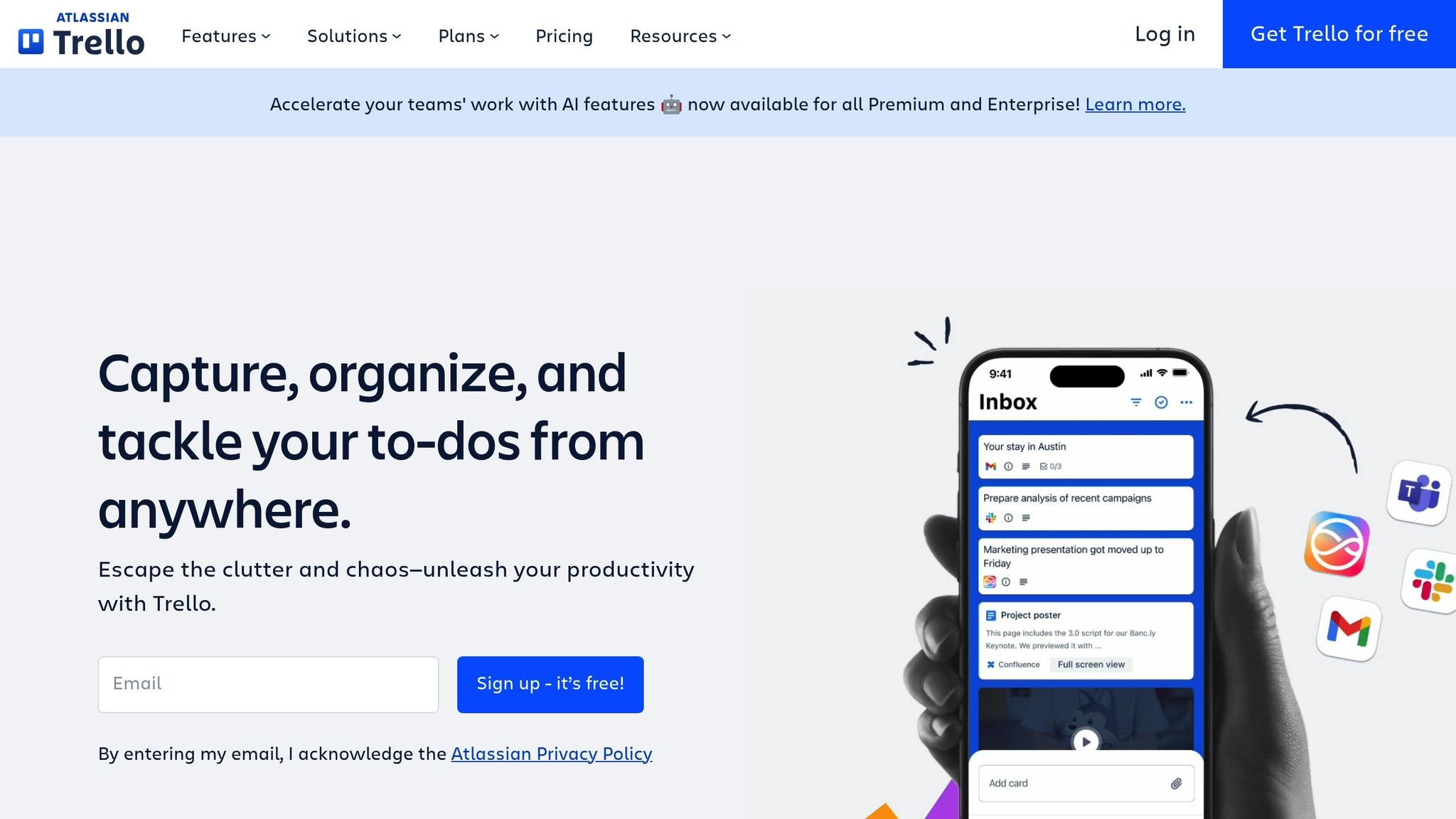
Trello is a digital project management tool that helps you organize tasks visually using a system of boards, lists, and cards. This setup allows you to see both the big picture and the finer details of your projects at the same time.
Gloria Folaron, CEO and Founder of Leantime, highlights why this approach works so well:
"For many of us with ADHD, having our tasks visually clear can make it easier and quicker to know right away where the work is or what to work on next."
Customization
One of Trello's standout features is how adaptable it is to different needs. You can use color-coded labels to sort tasks by energy levels, like "High Energy" or "Low Energy", making it easier to match tasks to your current state of mind. Custom Fields let you track priorities or time commitments, while Advanced Checklists break down daunting projects into smaller, more manageable steps.
For those who struggle with distractions, Trello’s Smart Links feature is a game-changer. It allows you to preview and edit files from platforms like Google Docs, Figma, or Jira directly within a Trello card. This eliminates the need to switch between tabs, a habit that research shows takes up to 9% of the average worker's time as they try to refocus.
ADHD-Specific Features
Trello is designed with features that address common ADHD challenges. For example, Butler automation can automatically move overdue tasks, helping you focus on what’s most important. To tackle time blindness, Trello integrates due date reminders with calendar views and adds time-tracking Power-Ups. Dr. Emily Johnson, a psychologist who specializes in ADHD, shares:
"Many of her clients have found success with Trello. She recommends starting with a simple board structure and gradually adding complexity as users become more comfortable with the system."
A helpful tip: set up a "Quick Wins" list for tasks that only take 5–10 minutes. Completing these during low-energy moments can give you a quick dopamine boost and help build momentum.
Cost (USD)
Trello offers four pricing plans to suit a variety of needs:
- Free plan: $0 per month, includes 10 boards per workspace, unlimited cards, and 250 command runs per month - great for solo users.
- Standard plan: $5 per user per month (billed annually, or $6 monthly). Adds unlimited boards, Custom Fields, and Advanced Checklists with 1,000 command runs.
- Premium plan: $10 per user per month (billed annually, or $12.50 monthly). Unlocks Calendar, Timeline, and Dashboard views with unlimited command runs.
- Enterprise plan: $17.50 per user per month, offering advanced security and organization-wide permissions.
Keep in mind that some third-party Power-Ups may come with additional subscription fees.
Learning Curve
Trello is known for being easy to use, earning a perfect 5/5 rating for usability from TechRepublic. Its drag-and-drop interface is simple enough for anyone to jump right in and start organizing tasks. That said, mastering advanced tools like Power-Ups and Butler automation takes a bit more time.
For beginners, it’s best to stick with basic lists like "To Do", "Doing", and "Done." Gradually introduce automations to avoid making your boards feel cluttered, which can be a common issue when trying to do too much too soon.
5. Structured App
Structured is a planning app designed to turn your schedule into a clear, vertical timeline, making time feel more tangible - an especially helpful feature for those with ADHD. With over 1.5 million monthly users and a stellar 4.8 out of 5-star rating from more than 152,000 reviews on the Apple App Store, it’s become a go-to tool for tackling time blindness and getting tasks started.
The app’s clean, minimalist layout focuses on two key priorities: “now” and “next.” By eliminating unnecessary distractions, Structured organizes your day into a seamless flow of tasks, complete with visual progress bars to show how much time is left for each one. While it shares some features with other planning tools, its digital-first design makes it stand out.
Customization
Structured offers three timeline styles to fit your personal planning needs: Full (with time slots and suggestions), Simplified (a streamlined version without suggestions), and Minimal (no timestamps or suggestions). You can also adjust the look with customizable colors, light or dark themes, and over 550 icons on Apple (400+ on Android) to visually categorize tasks [60, 62].
Its standout feature, Structured AI, leverages GPT-4o to simplify scheduling. It can create plans from text or voice input, scan handwritten notes or physical calendars, and even automatically “Replan” tasks you’ve missed, keeping your schedule tidy without overdue clutter [58, 63]. Accessibility options include dyslexia-friendly fonts and VoiceOver support, making it easier for neurodivergent users to navigate.
ADHD-Specific Features
Structured is packed with thoughtful features to address common ADHD hurdles. The visual timeline and progress bars make time feel more concrete, helping to counteract time blindness [31, 58]. By highlighting the current task and what’s next, the app reduces decision fatigue and mental overload.
Missed a task? No problem. The “Replan” feature reschedules it automatically, removing the stress of overdue items [3, 58]. For those who find starting tasks challenging, the AI Scanner can digitize brain dumps or handwritten notes, instantly adding them to your timeline. Plus, iOS Live Activities lets you see your active task and its progress bar right on your lock screen.
Another helpful tool is the Energy Monitor, developed with input from medical professionals. It helps you align demanding tasks with your peak energy times and save lighter tasks for when you’re naturally less energized [58, 63]. The app also integrates with the “one sec” app, encouraging breaks from mindless social media scrolling while you work.
Cost (USD)
Structured is available for free, offering core timeline planning and basic task creation. For more advanced tools, Structured Pro provides additional features at these rates:
- Pro Monthly: $8.99
- Pro Yearly: $9.99 to $29.99 (varies by region) [57, 31]
- Pro Lifetime: $84.99 (one-time payment)
Upgrading to Pro unlocks calendar syncing (Google, Outlook, iCloud), advanced reminders, recurring tasks, and AI-powered tools like automatic task breakdowns [57, 3, 6].
Learning Curve
Structured is designed to be straightforward and quick to use, with no tutorials or lengthy setup required [57, 58]. Its drag-and-drop interface makes planning a breeze, allowing you to organize your day in just a few minutes. Users often praise its simplicity and clean design for making scheduling feel effortless [31, 59].
While the app performs best on iOS and macOS, it’s also available on Android and as a web version (currently in beta). Some users have noted occasional slow responses on the Mac version compared to iOS, but the app’s core features remain reliable.
Strengths and Weaknesses
Here’s a streamlined summary of each system’s standout features and areas that might need some tweaking. This should help you quickly pinpoint which option aligns best with your ADHD management style.
Each system takes a unique approach to ADHD-related challenges, and what feels effective for one person might feel unworkable for another. For instance, The Happy Planner offers a highly customizable experience with its disc-bound design, allowing you to add or remove pages as needed. Its vibrant visual cues are a strong point. That said, it requires consistent upkeep, which could be a dealbreaker if you prefer a "set it and forget it" approach.
Panda Planner combines gratitude journaling with productivity strategies to reduce anxiety and boost focus. Its structured daily and nightly reviews help break goals into smaller, three-month chunks, making them feel more manageable. However, its rigid framework might feel too limiting if you thrive on flexibility.
On the other hand, Bullet Journal excels at helping you externalize mental clutter while improving retention through handwriting. As Jen Kirkman, a podcast host, explains:
"Writing by hand improves memory and focus. It is actually neuroscience!"
The downside? It demands significant effort to set up and can feel overwhelming without a clear starting point.
Trello takes a visual approach with its Kanban boards, making tasks highly visible and addressing "object permanence" issues often associated with ADHD. Completing tasks provides immediate visual feedback, which can deliver that much-needed dopamine boost. However, without strict organization, the boards can become cluttered and harder to manage.
Lastly, Structured tackles time blindness directly with its visual timeline feature, showing "how long until" the next task. Nearly half (47%) of ADHD users reported improved time awareness thanks to such timelines. Its simple interface minimizes overwhelm, but it lacks advanced features like AI-assisted entries or location-based reminders.
A clear pattern emerges: digital tools like Trello and Structured offer quick and easy ways to capture tasks, while analog systems like the Happy Planner and Bullet Journal provide tactile engagement but require more manual effort. ADHD coach Jeff Copper aptly notes:
"Organization is practical, which means, if you can find what you need when you need it... It doesn't have to be picture perfect".
| System | Primary Strength | ADHD Challenge Addressed | Main Weakness | Capture Friction |
|---|---|---|---|---|
| Happy Planner | Fully customizable with vivid visual cues | Flexible control | Maintenance heavy | Moderate (Manual) |
| Panda Planner | Integrates gratitude journaling to ease anxiety | Emotional regulation and focus | Rigid structure | Moderate (Manual) |
| Bullet Journal | Promotes externalizing mental clutter and handwriting benefits | Memory and mental clutter | High activation energy | High (Manual) |
| Trello | Immediate visual feedback on completed tasks | Task initiation and object permanence | Visual clutter | Low (Digital) |
| Structured | Visual timeline combats time blindness | Time awareness and transitions | No AI/location features | High (Manual entry) |
This breakdown highlights how each system tackles ADHD challenges in its own way. The best choice comes down to your personal workflow and how much maintenance you’re willing to handle. Notably, digital tools with context-aware reminders reduce missed tasks significantly - 68% of ADHD users found them more effective than standard time-based alerts. Meanwhile, simpler systems without gamification might be better for long-term use, as 39% of users reported that gamification loses its appeal after two to three months.
Conclusion
Choose an organizational system that works with how your mind operates. As Highland Park Therapy wisely notes:
"The right planner isn't the one that promises perfect productivity. It's the one that helps you feel more steady, more focused, and more supported in your day-to-day life."
If you’re a visual thinker who thrives on creativity and color, The Happy Planner might be your go-to, offering customizable layouts and a design that keeps motivation high. For those battling decision fatigue or struggling with prioritization, Panda Planner provides structured prompts to ease the mental load without requiring you to build a system from scratch. On the other hand, if you’re someone who craves full control and enjoys crafting your own process, the Bullet Journal gives you unlimited flexibility - though it does require consistent upkeep. These analog tools contrast with digital systems tailored to combat time blindness and improve task visibility.
Digital options like Structured offer visual timelines that make the passage of time more tangible, while Trello delivers instant task feedback - though its interface can sometimes feel visually overwhelming.
For many, a combination of both analog and digital tools strikes the perfect balance. This hybrid approach is gaining traction among busy professionals, blending the automation and reminders of digital tools with the grounding effect of handwriting in a paper planner. Digital systems can handle alerts and time-sensitive tasks, while analog tools help with focus and deeper planning.
Start by identifying your biggest challenge - whether it’s initiating tasks, forgetting deadlines, or losing track of time. Begin with a simple system and layer on complexity as you build a routine. Considering that adults with ADHD lose an estimated 22 to 27 days of productivity annually to challenges like time blindness and task paralysis, finding the right system can make a meaningful difference. Tailor your tools to meet your specific ADHD needs, and you’ll likely see a smoother workflow and a boost in daily productivity.
FAQs
How do I choose the right system for my ADHD challenge?
To find a system that works for you, consider your brain's unique wiring and your daily routines. Features like micro-habit structures, visual cues, adjustable timelines, and instant rewards can make a big difference. For those with ADHD, strategies such as breaking tasks into smaller, manageable steps, using tools to act as external memory, and automating repetitive workflows can be incredibly helpful. The ideal system reduces obstacles, offers quick feedback, and supports memory by externalizing it - making it simpler to stick with and finish tasks.
Can I combine a paper planner and a digital tool?
Yes, combining a paper planner with a digital tool can improve how you stay organized. A paper planner gives you the satisfaction of physically writing down notes and tasks, which can help with memory and focus. On the other hand, digital tools excel at automating things like reminders, scheduling, and tracking projects. By using both, you can take advantage of what each does best, creating a system that fits your style and helps tackle challenges like staying focused and managing your time effectively.
Which option is easiest to stick with long-term?
For busy professionals, particularly those managing ADHD, the most effective long-term approach is sticking to a straightforward and consistent system. Experts suggest a few practical strategies: designate a specific spot for everything, break tasks into smaller, manageable steps, and keep to-do lists short and focused. Integrating calendars, task lists, and notes into one cohesive setup can also help minimize overwhelm and establish steady routines, making it easier to stick with the system in the long run.