Top 7 ADHD-Friendly Progress Trackers
Seven ADHD-friendly progress trackers compared — visual timelines, Pomodoro timers, habit tracking, calendar sync and simple planners to reduce time blindness and improve focus.
If you have ADHD, sticking to productivity tools can feel impossible. Many apps are built for neurotypical brains, which often leads to frustration and abandonment. But tools designed for ADHD brains focus on flexibility, visual aids, and dopamine-boosting features to help with challenges like time blindness and executive dysfunction. Below are seven tools tailored for ADHD users, each offering unique features to simplify task management and keep you on track:
- Fhynix: Combines tasks, events, and routines in one calendar-first timeline. Features include drag-and-drop scheduling, voice input, and WhatsApp reminders. ($3.99/month)
- Tiimo: Turns schedules into color-coded timelines with visual focus timers and AI task breakdowns. Syncs across multiple devices. (Freemium)
- Sunsama: Helps structure your day with time estimates and task prioritization. Integrates with tools like Slack and Asana. ($20/month)
- TickTick: Offers task tracking, a Pomodoro timer, and a habit tracker. Includes features like Kanban boards and natural language input. (Free or $3.99/month for Premium)
- Todoist: Simplifies task management with natural language input, visual productivity charts, and a Karma system for motivation. (Free or $4–$5/month)
- Morgen: Combines multiple calendars and task lists into one platform. Includes AI planning tools and multi-calendar sync. (Pricing varies)
- Focus Keeper: A simple Pomodoro timer with heat maps, ambient soundscapes, and analytics for tracking focus sessions. (Free or $3.99/month)
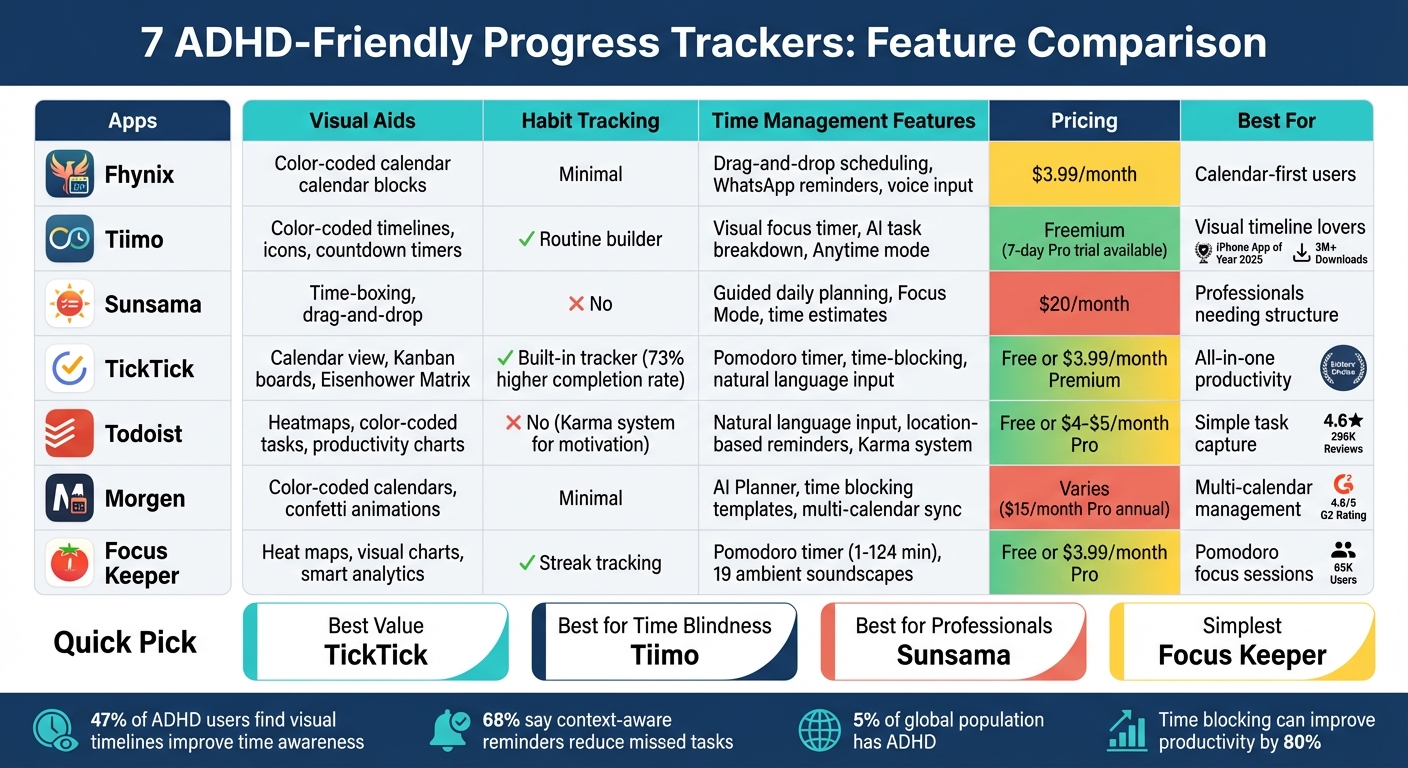
ADHD-Friendly Progress Trackers Feature Comparison Chart
5 Game-Changing Productivity Apps For ADHD
Quick Comparison
| Tool | Visual Aids | Habit Tracking | Time Management Features | Pricing |
|---|---|---|---|---|
| Fhynix | Color-coded calendar blocks | Minimal | Drag-and-drop scheduling, reminders | $3.99/month |
| Tiimo | Color-coded timelines, icons | Routine builder | Visual focus timer, AI task breakdown | Freemium |
| Sunsama | Time-boxing, drag-and-drop | No | Guided daily planning | $20/month |
| TickTick | Calendar view, Kanban boards | Built-in tracker | Pomodoro timer, natural language input | Free/$3.99/month |
| Todoist | Heatmaps, color-coded tasks | No | Natural language input, Karma system | Free/$4–$5/month |
| Morgen | Color-coded calendars | Minimal | AI planning, multi-calendar sync | Varies |
| Focus Keeper | Heat maps, visual charts | Streak tracking | Pomodoro timer, ambient soundscapes | Free/$3.99/month |
Each tool addresses specific ADHD challenges, from time blindness to habit-building. Choose based on your priorities - whether it’s visual timelines, habit tracking, or simple task organization.
1. Fhynix
Fhynix takes a calendar-first approach to streamline your tasks, events, and routines into a single timeline. By consolidating everything in one place, it helps reduce the constant app switching that can drain focus and energy, especially for those managing ADHD challenges.
This strategy is built around three standout features:
Visual Aids for Task Tracking
With Fhynix, your tasks appear as physical blocks on a calendar, making your schedule feel more concrete. Each block is color-coded - blue for work, green for health, and yellow for family - so you can easily spot what’s coming up. This visual time-blocking approach makes time feel more tangible, helping to address time blindness.
Flexible Time Management Tools
The app offers a drag-and-drop scheduling feature, making it easy to adjust your plans when your energy or priorities shift. It also includes AI-powered voice input - just say something like, "Finish assignment tomorrow at 3 pm", and the task is added. By breaking your day into realistic time chunks, Fhynix reduces mental strain and helps you stay on track.
Seamless Integration with Your Routine
Fhynix keeps you on top of your schedule with WhatsApp reminders sent 24 hours and 10 minutes before events. It works smoothly across iOS (including Apple Watch), Android, and web platforms, and it syncs with Google, Microsoft, and Apple calendars. While it offers a robust free plan, paid plans start at just $3.99 per user per month.
2. Tiimo
Tiimo, crowned iPhone App of the Year in 2025 with over 3 million downloads, reimagines scheduling by turning abstract plans into a vibrant, color-coded timeline. It’s trusted by more than 500,000 active users.
Visual Aids for Task Tracking
Tiimo’s standout feature is its ability to transform schedules into a visual timeline. This timeline not only shows what’s ahead but also includes a visual focus timer. Instead of staring at a ticking clock, users can see time represented as a moving countdown, making it easier to grasp and manage.
"The focus timer turns minutes into a visual countdown, helping you stay on pace, ease transitions, and reduce overwhelm." - Tiimo
What sets Tiimo apart from tools like Fhynix is its interactive design. The focus timer works hand-in-hand with the AI Co-planner to break down larger tasks into smaller, manageable steps. By adding icons, tags, and time estimates automatically, Tiimo helps make even the most daunting projects feel approachable and actionable.
Time Management Features
Tiimo offers flexibility with its "Anytime" mode, allowing users to list tasks without assigning specific times. For scheduled tasks, the focus timer starts automatically, giving you the option to pause, extend, or mark tasks as complete - all from the Focus tab.
Real-time widgets and Dynamic Island integration ensure your current task stays front and center. At the end of the day, a visual check-in helps you review unfinished tasks and reschedule them, breaking the cycle of guilt often associated with incomplete to-dos.
Seamless Integration into Daily Life
Tiimo syncs effortlessly across multiple platforms, including iOS, iPadOS, Apple Watch, macOS, and web browsers. This means you can plan your day on a desktop and stay on track while on the move. Additionally, it supports calendar imports from Google, Outlook, and Apple, letting you see work meetings and personal tasks in a single timeline.
The app offers a free version with basic planning tools and a simple focus timer. For those looking for more, Tiimo Pro provides advanced features like AI task breakdowns, custom widgets, and enhanced scheduling options - all available with a 7-day free trial.
Next, we’ll dive into another tool that complements Tiimo’s capabilities.
3. Sunsama
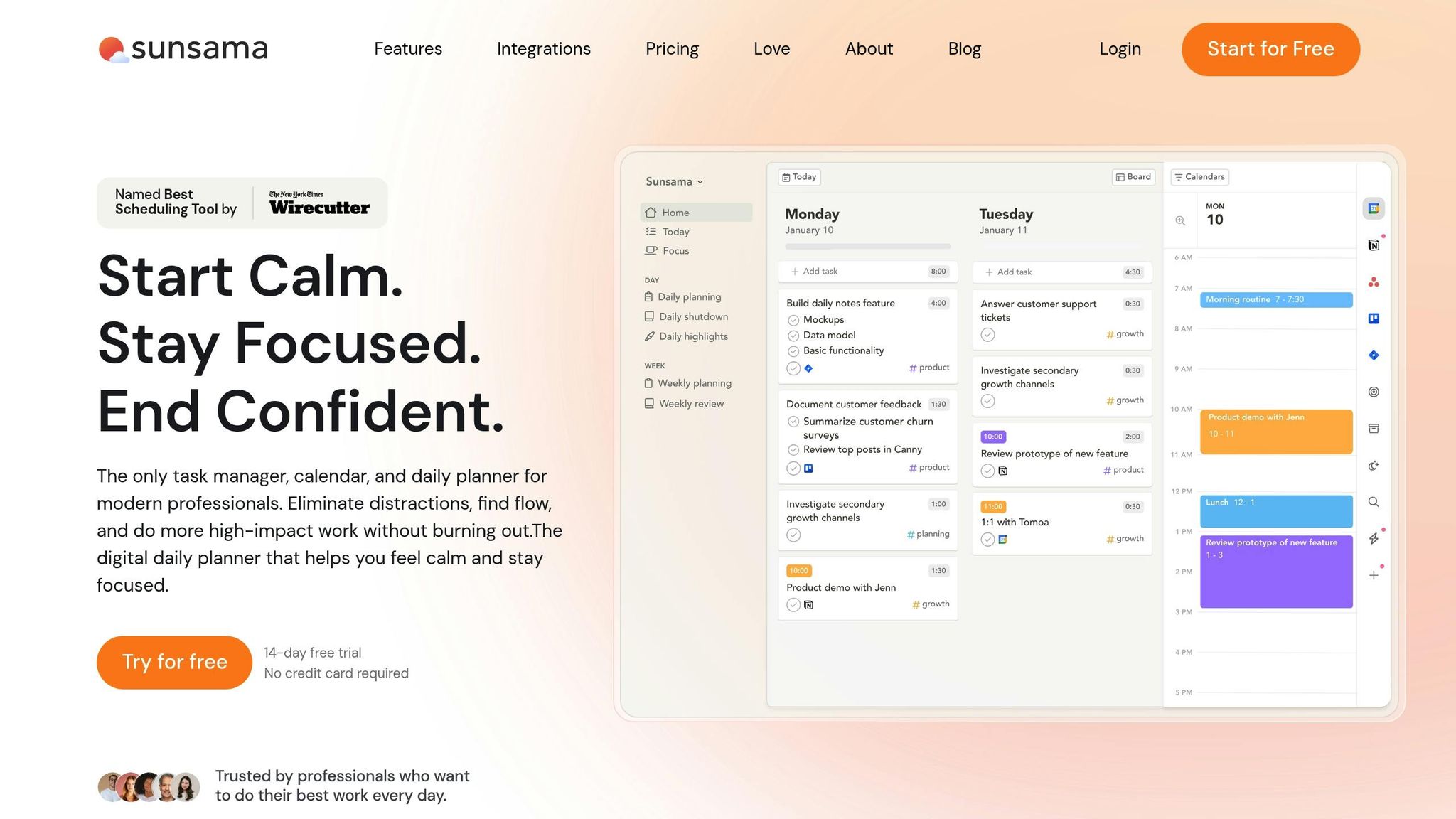
For professionals with ADHD looking for better clarity and structure, Sunsama, named "Best Scheduling Tool" by Wirecutter, helps turn chaotic workdays into organized plans.
Time Management Features
Sunsama tackles time blindness by letting you estimate how long tasks will take and providing a clear preview of your day. During its guided daily planning process, you assign time estimates to tasks, and the app dynamically shows how your hours are distributed, including meetings and your planned end-of-day. Its Focus Mode, activated with the "F" key, helps cut out distractions by displaying only your current task, paired with a Pomodoro timer.
"The tool that has had the greatest impact on my life and my productivity is unquestionably Sunsama." – Paul Galatis, CEO, Names & Faces
Seamless Integration with Your Workflow
Sunsama brings everything together by syncing tasks from platforms like Asana, Trello, Jira, Notion, Slack, and Gmail into one unified view. Its bi-directional sync ensures tasks update automatically across all platforms. You can even drag emails into your task list or turn Slack messages into tasks. Plus, you can try it out for 14 days without needing to provide a credit card.
Up next: how TickTick builds on this ADHD-friendly approach.
4. TickTick
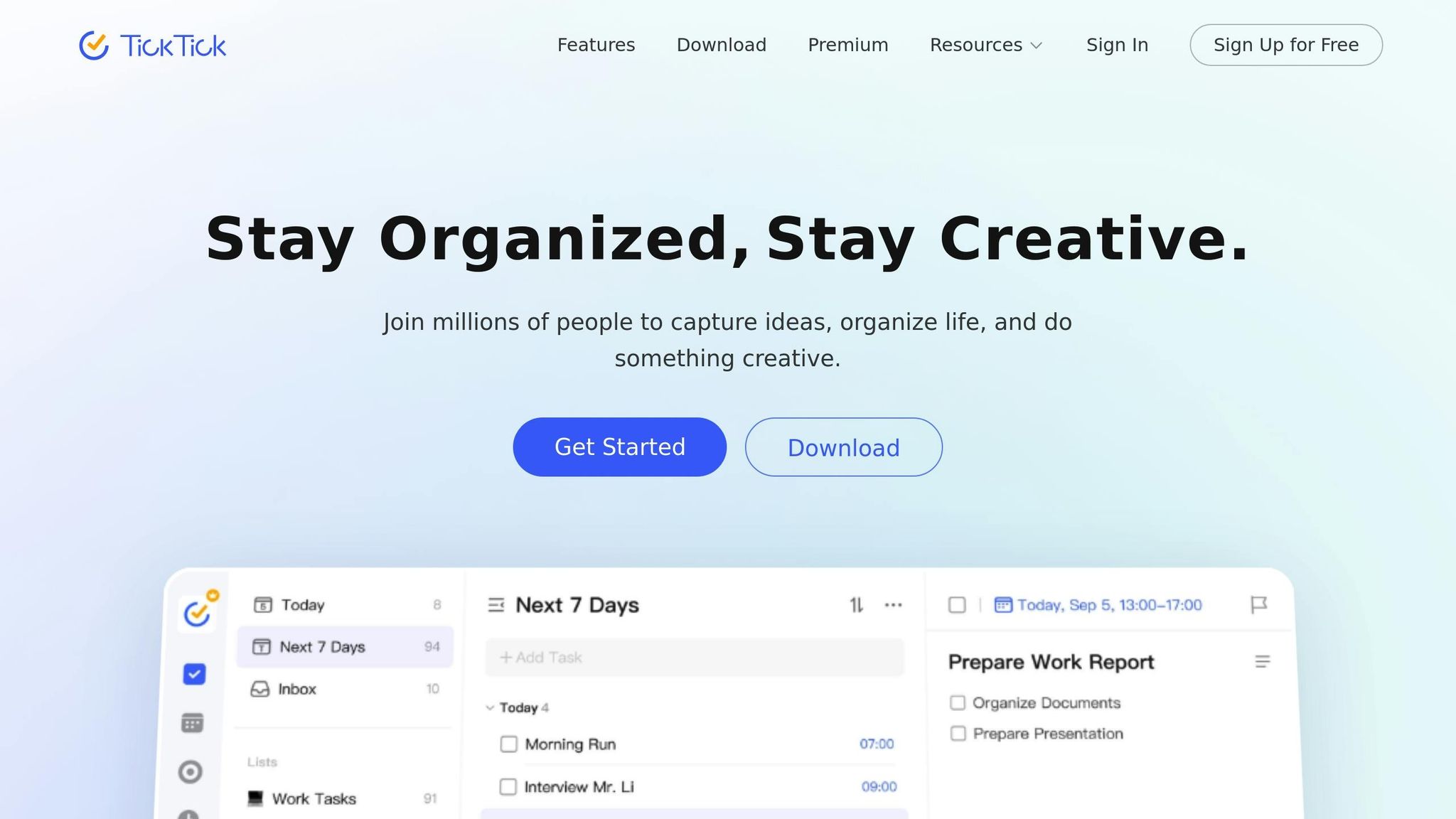
TickTick builds on Sunsama's integrated design by combining task tracking with visual tools, time management features, and habit support. It has earned Editors' Choice awards for its seamless combination of tasks, calendars, and timers.
Visual Aids for Task Tracking
TickTick makes task visibility a priority with desktop sticky notes and mobile widgets, ensuring your to-dos are always front and center on your home or lock screen. Its Eisenhower Matrix automatically organizes tasks into four quadrants based on urgency and importance, making prioritization a breeze. You can also toggle between Kanban boards for drag-and-drop project management, Timeline views for tracking project durations, and flexible calendar layouts. With over 40 themes and a color-coded priority system, staying organized feels intuitive and visually engaging.
"The Eisenhower matrix is perfect for when everything feels urgent. It never actually all is." – Alex Morrison, PhD Student
Time Management Features
TickTick’s Pomodoro timer, complete with customizable intervals and soothing white noise, helps tackle procrastination without needing additional apps. For instance, in February 2026, user Olivia Harper reported a 40% increase in her focused work hours thanks to this feature. Time-blocking is another standout tool, allowing you to allocate and adjust time slots for tasks through a simple drag-and-drop interface. The app’s natural language processing (NLP) makes scheduling effortless - just type commands like "Call client Friday at 3pm." To keep you on track, TickTick also offers Constant Reminders and location-based alerts, so nothing important slips through the cracks.
Habit and Routine Support
For building habits, TickTick features a visual tracker that uses a grid of green squares to mark daily progress. This system is particularly helpful for users with ADHD, encouraging consistency and creating streaks that motivate further success. In fact, users have reported a 73% higher habit completion rate compared to using standard reminder apps. You can also streamline recurring workflows by saving them as templates or break down larger projects into smaller, actionable subtasks with built-in checklists.
Ease of Integration with Daily Workflows
TickTick works effortlessly across multiple platforms, including iOS, Android, Windows, macOS, Linux, Apple Watch, and web browsers, ensuring that your tasks are accessible no matter where you are. It also integrates with popular third-party calendars like Google Calendar, Outlook, and iCal, letting you view tasks and events in one place. This feature proved especially effective for Engineering Lead Ben Kowalski, whose 12-person remote team increased their feature output by 34% in a single quarter after adopting TickTick, thanks to shared lists and the integrated calendar view.
TickTick’s free plan includes unlimited tasks, reminders, a calendar view, a habit tracker, and a Pomodoro timer. For $35.99 per year, the Premium plan unlocks its full suite of features, making it a valuable tool for both personal and professional productivity.
5. Todoist
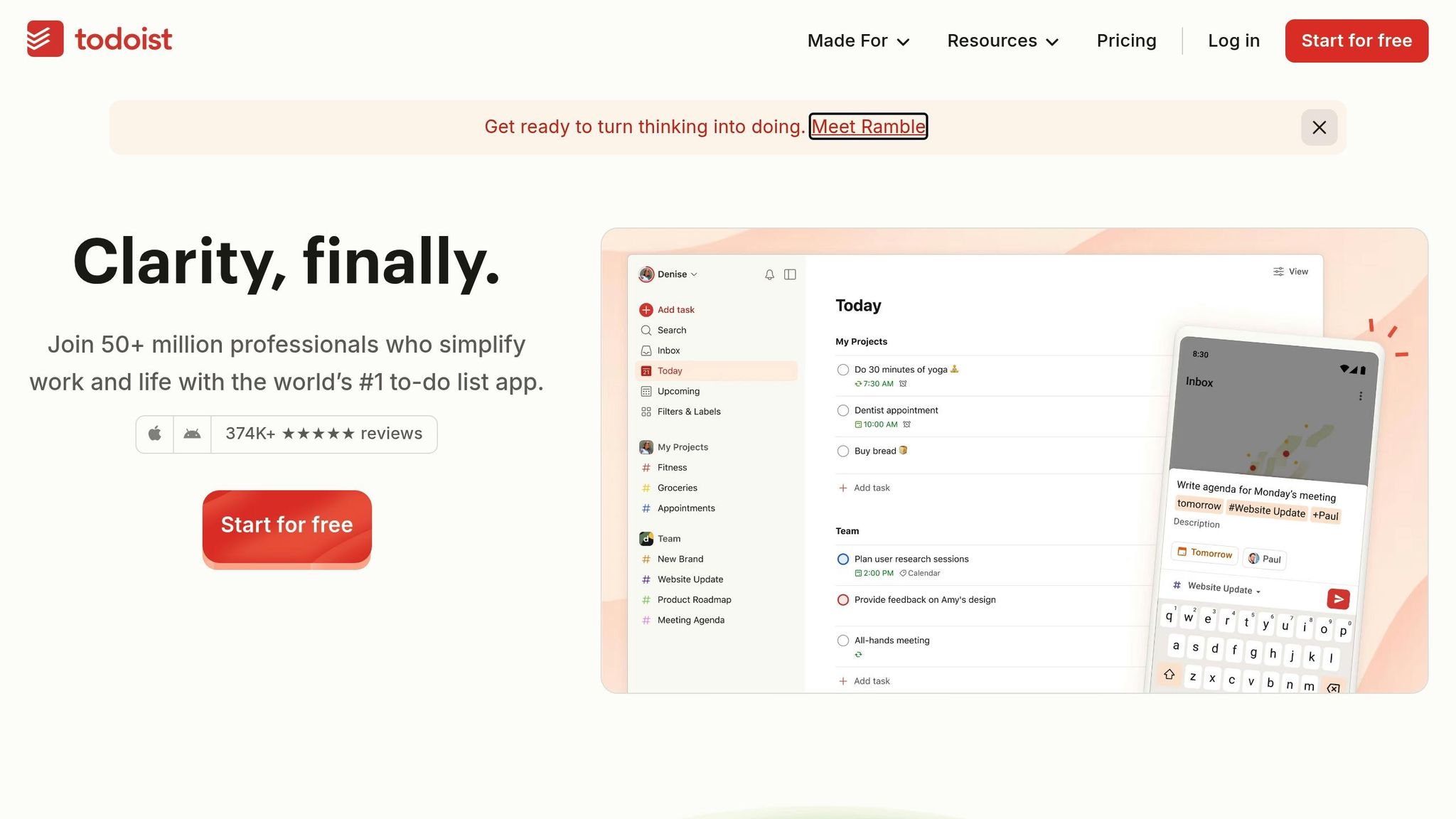
Todoist simplifies task management for professionals with ADHD by offering a clean, intuitive interface and efficient tools for capturing tasks. With millions of users worldwide, it has earned a reputation as a dependable "second brain", helping users offload mental clutter and stay organized. Its design specifically addresses common ADHD challenges through practical, easy-to-use features.
Visual Aids for Task Tracking
Todoist provides three different ways to view your tasks: List, Board (Kanban), and Calendar views, catering to diverse planning preferences. A color-coded system makes it easy to spot urgent tasks in the Today view. For larger projects, subtasks and sections break them down into smaller, more manageable steps - perfect for tackling executive dysfunction and turning overwhelming goals into actionable pieces. Additionally, the app tracks your productivity with visual charts that display your daily and weekly progress.
"I have ADHD, am a chronic procrastinator, and have always struggled with organizing my schoolwork... this allows me to see everything that is due right in front of me and the order in which I should do them." – Kaiinde, User
Time Management Features
Todoist allows you to input recurring tasks using natural language and drag them into the Calendar view, making it easier to plan your day and avoid overloading your schedule. The app also supports location-based reminders, which notify you of tasks as you arrive at specific destinations - ideal for errands and on-the-go planning.
Habit and Routine Support
To help users build habits and routines, Todoist incorporates a Karma system that gamifies task completion, providing a motivational boost through a sense of achievement. For recurring projects, the app offers over 50 pre-made templates, such as packing lists or meeting agendas, to eliminate the challenge of starting from scratch. You can also group recurring tasks into dedicated projects - like a "Life Hygiene" folder for bills and chores - reducing the mental effort of remembering them.
Seamless Integration with Daily Workflows
Todoist syncs across more than 10 platforms, including Wear OS, mobile widgets, and browser extensions, ensuring your tasks are accessible wherever you are. It even allows you to turn emails into tasks directly from Gmail or Outlook. With a 4.6-star rating on Google Play from over 296,000 reviews, users often highlight how it helps ease the anxiety of forgetting something important. The app’s free plan supports up to 5 active projects and basic reminders, while the Pro plan ($5 per month) unlocks features like 300 active projects, the Calendar view, and advanced tools.
6. Morgen
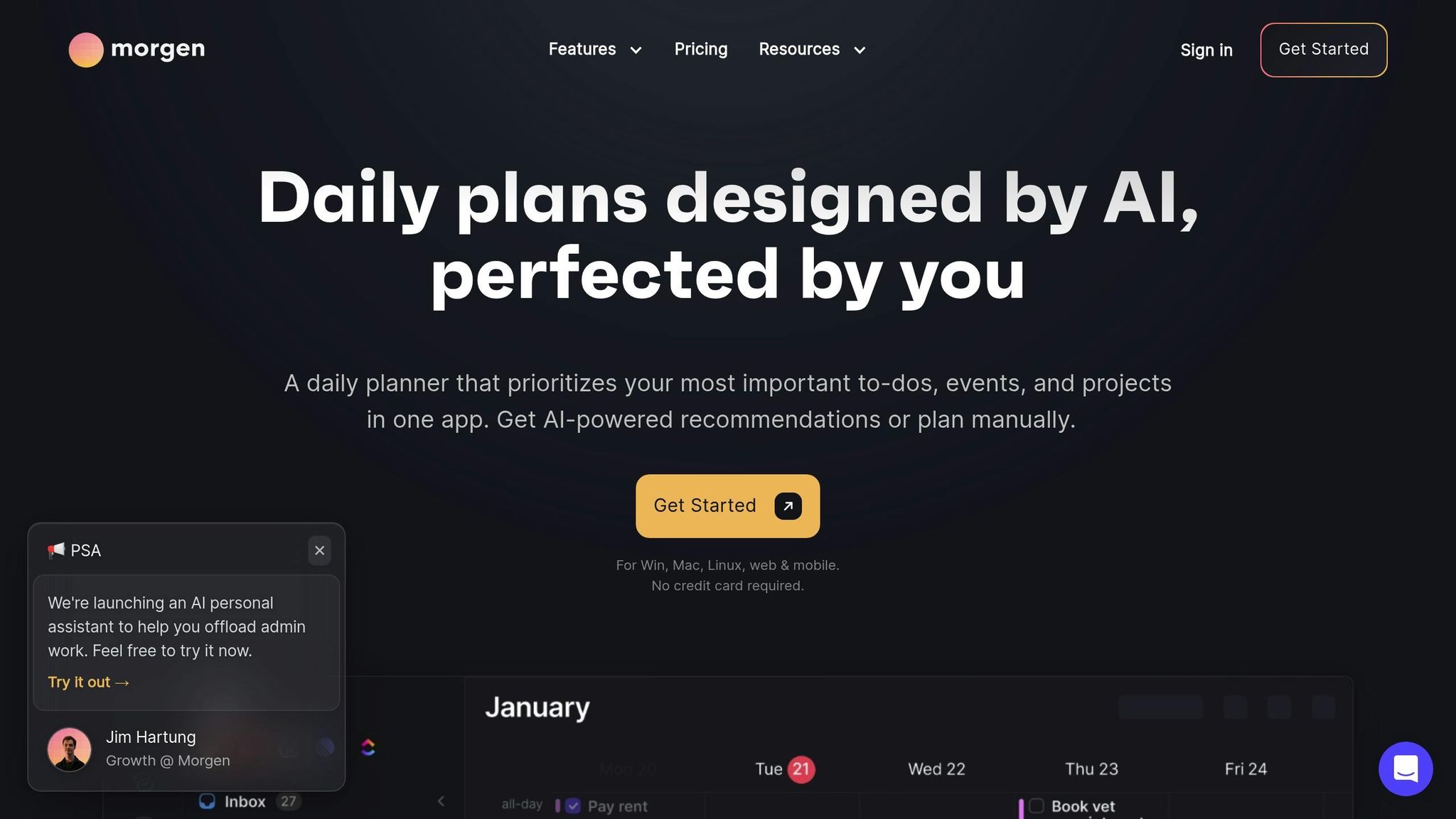
Morgen simplifies your workflow by combining multiple calendars and task lists into a single platform, cutting down on the need to switch between apps - something people reportedly do up to 1,200 times a day. This integration helps reduce "attention residue", allowing you to focus better on what matters.
Visual Aids for Task Tracking
Morgen makes task tracking straightforward with color-coded calendars that let you quickly identify your commitments. Complete a task, and you're rewarded with a cheerful confetti animation. The app also organizes tasks into four clear categories - Overdue, Due Today, Due Tomorrow, and Due Soon - making it easy to prioritize urgent items.
"Morgen allows me to see ALL my various calendars in one place, everything color-coded and always up on a screen behind my laptop." – Deb Haas Brooks
This focus on visual clarity is paired with powerful scheduling tools to enhance productivity.
Time Management Features
Morgen's AI Planner helps you build realistic schedules based on your priorities and deadlines, while still leaving you in charge of final decisions. It can break down large projects into smaller, manageable tasks and automatically add buffer time between meetings to avoid back-to-back burnout. The app also supports time blocking with recurring templates like "Deep Work" or "Admin" sessions. In fact, studies suggest time blocking can improve productivity by as much as 80%.
Seamless Integration with Daily Workflows
Morgen integrates with popular task management tools such as Notion, ClickUp, Linear, Todoist, and Obsidian. Its bidirectional syncing ensures that any task marked as complete in Morgen is updated across your connected apps. Keyboard shortcuts (0–9) allow you to switch between calendar sets, helping you hide personal events when you need to focus on work. There's also a quick capture feature (Cmd+K for Mac, Ctrl+K for Windows) that lets you add tasks in natural language without disrupting your workflow.
This streamlined approach is especially helpful for users with ADHD, as it reduces the mental effort required to juggle multiple tools. Morgen's clean and intuitive design has earned it glowing reviews, including a 4.8/5 rating on G2 and a perfect 5.0/5 on Capterra.
The Individual Pro plan costs $15/month when billed annually or $30/month if billed monthly. It comes with a 14-day free trial, and students and non-profits can enjoy a 25% discount.
7. Focus Keeper
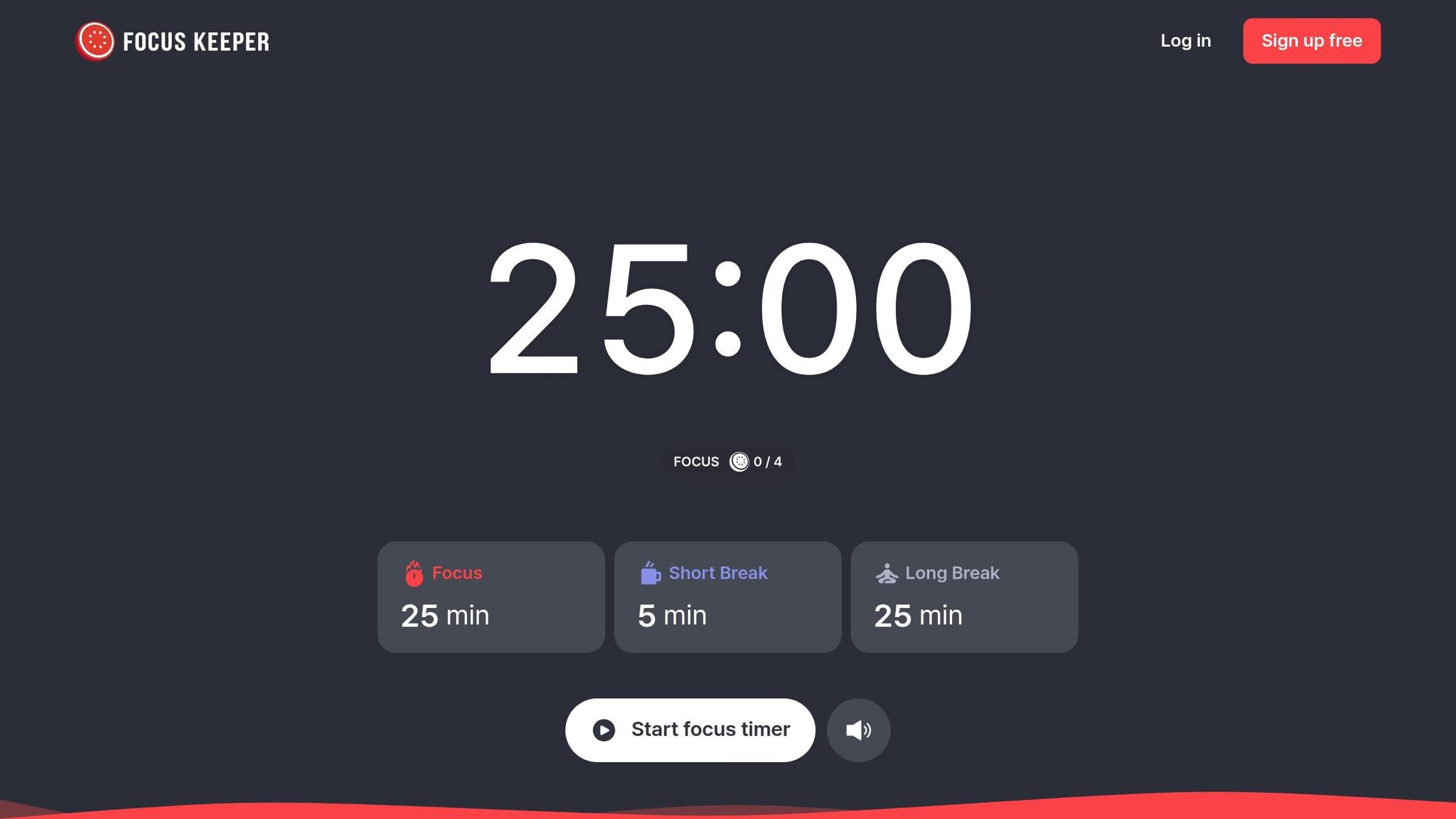
Focus Keeper keeps things simple with a no-frills Pomodoro timer, making it a great choice for ADHD professionals. By default, it uses 25-minute work sessions paired with 5-minute breaks, but you can tweak these intervals anywhere from 1 to 124 minutes to suit your workflow. With a stellar 4.8/5 rating from over 65,000 users and a 95% customer satisfaction rate, it’s become a trusted tool for staying on task.
Visual Aids for Tracking Progress
One standout feature is its use of Smart Charts and color-coded heat maps to track productivity visually. For example, in January 2026, a SaaS startup in the UK analyzed its team’s heat maps and noticed a productivity surge between 9 AM and 11 AM. By shifting code reviews to this window, they managed to cut two days off their usual sprint timeline. Focus Keeper also tracks streaks, average focus durations, and how well you stick to breaks, offering clear insights into your habits.
Tools for Better Time Management
Beyond analytics, the app includes 19 ambient soundscapes - like ticking clocks, rain, café chatter, and white noise - to help you block out distractions and maintain focus. You can also tag sessions with labels like #client-work or #study to organize your time better. For those using the Pro version, it syncs seamlessly across iOS, Android, and desktop devices. One tech team even reported a 15% drop in meeting interruptions after linking Focus Keeper with Slack, which automatically updated their status to "Do Not Disturb" during focus sessions.
Integrating Into Your Workflow
Focus Keeper’s Pro plan also connects with popular task management tools like Trello and Notion, letting you pull tasks into a session with just one tap. You can automate processes via Zapier - for instance, finishing a focus session could trigger a "break complete" tag in Trello. The built-in to-do list is another handy feature, allowing you to set daily goals without the clutter of gamified features that might overwhelm ADHD users.
"If all you're looking for is a functional timer to keep you accountable, you've found it in Focus Keeper." – Lindsey Ellefson, Features Editor, Lifehacker
The free version includes unlimited Pomodoro cycles and basic session tracking. Upgrading to the Pro plan, priced at $3.99/month or $34.99/year, unlocks advanced features like custom intervals, detailed analytics, unlimited to-do lists, and cross-device syncing.
Feature Comparison
Finding the right tracker depends on your focus, habits, and how you manage your time. Tiimo stands out with its use of icons, colors, and shrinking progress bars, while Fhynix integrates tasks seamlessly into a unified calendar timeline. Todoist, with its productivity heatmaps and goal trends, earns a 4.8/5 rating for its intuitive visual reporting. Research highlights that 47% of ADHD users find visual timelines improve time awareness, and 68% say context-aware reminders reduce missed tasks more effectively than standard alerts.
For habit tracking, TickTick combines to-do lists with a built-in habit tracker and Pomodoro timer. It’s available for free, with premium features starting at $3.99/month. Sunsama focuses on time-boxing through its drag-and-drop calendar planning, though it’s the most expensive option at $20/month. Other tools like Morgen and Focus Keeper emphasize time management in different ways - Focus Keeper provides a Pomodoro timer with calming soundscapes, available for free or $3.99/month for premium access.
Here’s a quick look at the key features of these tools to help you decide:
| Tool | Visual Aids | Habit Tracking | Time Management | Pricing |
|---|---|---|---|---|
| Fhynix | Unified calendar-task timeline | Minimal habit support | Calendar-first approach | $3.99/month |
| Tiimo | Icons, colors, countdown timers | Routine builder | Visual timeline, watch nudges | Freemium / Subscription |
| Sunsama | Time-boxing, drag-and-drop | No | Daily planning rituals | $20/month |
| TickTick | Calendar view, visual roadmap | Built-in tracker | Pomodoro timer | Free / $3.99/month |
| Todoist | Heatmaps, trends, timeline | No | Natural language input | Free / $4–$5/month |
| Morgen | Calendar integration | Minimal habit support | Multi-calendar sync | Varies |
| Focus Keeper | Heat maps, smart charts | Streak tracking | Pomodoro timer, soundscapes | Free / $3.99/month |
TickTick is often praised for its value, offering task management, habit tracking, and a Pomodoro timer for under $4/month. If time blindness is a challenge, Tiimo’s visual icons and shrinking timers can make abstract time more tangible. Meanwhile, Todoist’s natural language input makes capturing tasks quick and simple.
"The best ADHD time management system isn't the fanciest or most feature-rich. It's the one you'll actually use - consistently, reliably, without excessive friction." – Fhynix
Both TickTick and Todoist provide functional free versions, with upgrades adding cross-device syncing and advanced features. Sunsama, on the other hand, requires a subscription after its trial, making it a better fit for professionals who need integrations with tools like Slack, Trello, and Asana.
Conclusion
People with ADHD often face challenges that standard productivity tools fail to address - like time blindness, executive dysfunction, and difficulties with working memory. The seven trackers highlighted in this guide aim to tackle these obstacles by making time more tangible, reducing decision-making barriers, and providing the motivation needed to stay on track.
Apps like Tiimo and Focus Keeper help counteract time blindness with features like visual timelines and Pomodoro timers. Todoist simplifies task capture with natural language input, while TickTick incorporates the Eisenhower Matrix to ease decision-making. On the other hand, Sunsama focuses on guided daily planning, helping users avoid overcommitting and create achievable to-do lists. These tools align with the specific challenges discussed earlier.
With approximately 5% of the global population living with ADHD, tools like these are more than just task managers - they serve as external aids for executive functions that ADHD brains often struggle to handle internally.
Choosing the right tracker isn’t about having the most advanced features or the sleekest design. It’s about finding the one that addresses your biggest challenge - whether that’s capturing tasks quickly, visualizing your schedule, or breaking down daunting projects into smaller, actionable steps. Start by identifying your most pressing need and pick the tool that aligns with it.
For additional tips and strategies on managing ADHD in professional environments, check out On/Off Genius.
FAQs
Which tracker is best for time blindness?
The best tools for managing time blindness are those tailored for ADHD, offering visual cues to represent time passing. Options like ADHD Timers (including Pomodoro and visual-based tools) and Toggl Track stand out. They provide clear, visual feedback, making it easier to stay aware of and manage time effectively.
Which tool is best if I need habit tracking too?
When it comes to habit tracking tools for ADHD, the best ones are those that keep things simple and offer visual rewards that feel satisfying. Apps like Habit Tracker, Focus Bear, Habitica, and Lunatask are great examples of ADHD-friendly tools. These are built to help with focus and consistency, making it easier to stick to routines. The key is finding tools that streamline daily habits and give motivating feedback to keep you engaged.
How do I pick a tracker I’ll actually stick with?
When choosing a tracker to help with ADHD-specific challenges, go for something that matches your preferences and feels easy to use. Look for tools that are visually appealing and fit seamlessly into your daily routine. Skip those all-or-nothing streak-based systems; instead, opt for trackers that offer positive reinforcement and use visual cues to keep you on track. Whether you prefer a digital app or a paper planner, pick a format that feels natural and intuitive to you. Prioritize flexibility, a mix of habits to track, and features that keep things interesting - like visual rewards or elements of novelty - to stay motivated.