Best Apps and Tools for Executive Function Support
Compare nine apps that help with time blindness, task initiation, focus, and planning for ADHD — from Pomodoro timers to visual planners and audio aids.
Living with ADHD can make managing tasks, time, and focus feel overwhelming. Fortunately, there are tools designed to help with common challenges like time blindness, task paralysis, and staying organized. Here's a quick guide to some of the best apps for improving focus, planning, and productivity:
- On/Off Genius: Handles personal errands during work hours, reducing distractions and helping maintain focus.
- Goblin Tools: Breaks down large tasks into manageable steps and estimates timeframes to tackle task paralysis.
- Todoist: Organizes tasks with natural language scheduling and priority labels, making task management straightforward.
- Forest: Gamifies focus by growing virtual trees while you work, encouraging you to stay off distractions.
- TickTick: Combines task management, scheduling, and a Pomodoro timer, all in one app.
- Brain.fm: Uses science-backed audio to improve focus and reduce distractions during work sessions.
- Focus Keeper: A simple Pomodoro timer that helps with task initiation and tracks productivity.
- Tiimo: Visualizes your day with a color-coded timeline and helps with habit-building.
- Sunsama: Guides daily planning by integrating tasks from multiple platforms into one focused workflow.
Each app targets specific ADHD-related struggles, from organizing tasks to maintaining attention. Most offer free versions or trials, with affordable upgrades for advanced features. Whether you need help starting tasks, managing your time, or staying focused, these tools can provide practical support tailored to your needs.
5 Game-Changing Productivity Apps For ADHD
1. On/Off Genius
On/Off Genius tackles the challenge of juggling personal tasks during work hours. Picture this: you're deep into a project, and suddenly, your brain nudges you about scheduling a plumber, arranging childcare, or servicing your car. These aren't just minor distractions - they interrupt your ability to focus and manage priorities effectively. By addressing these interruptions, On/Off Genius helps you stay locked in on your work.
Organization and Task Management
The platform takes over routine personal errands, lightening the mental load that often pulls you away from work. By streamlining these tasks, it frees up your mental energy for organizing and prioritizing professional responsibilities.
Focus Enhancement
On/Off Genius eliminates personal stressors during work hours, cutting down on the time and energy wasted when bouncing between personal and professional concerns. This is especially helpful for individuals with ADHD, who may find task-switching particularly draining. By minimizing interruptions, the service helps you maintain focus and boosts your ability to stick to a schedule.
Clearer Time Boundaries
The service also helps establish clear lines between personal and work time. By managing personal errands separately, it creates a more defined work schedule. This can be a game-changer for those with ADHD, as it addresses "time blindness" and makes it easier to stay on track.
2. Goblin Tools
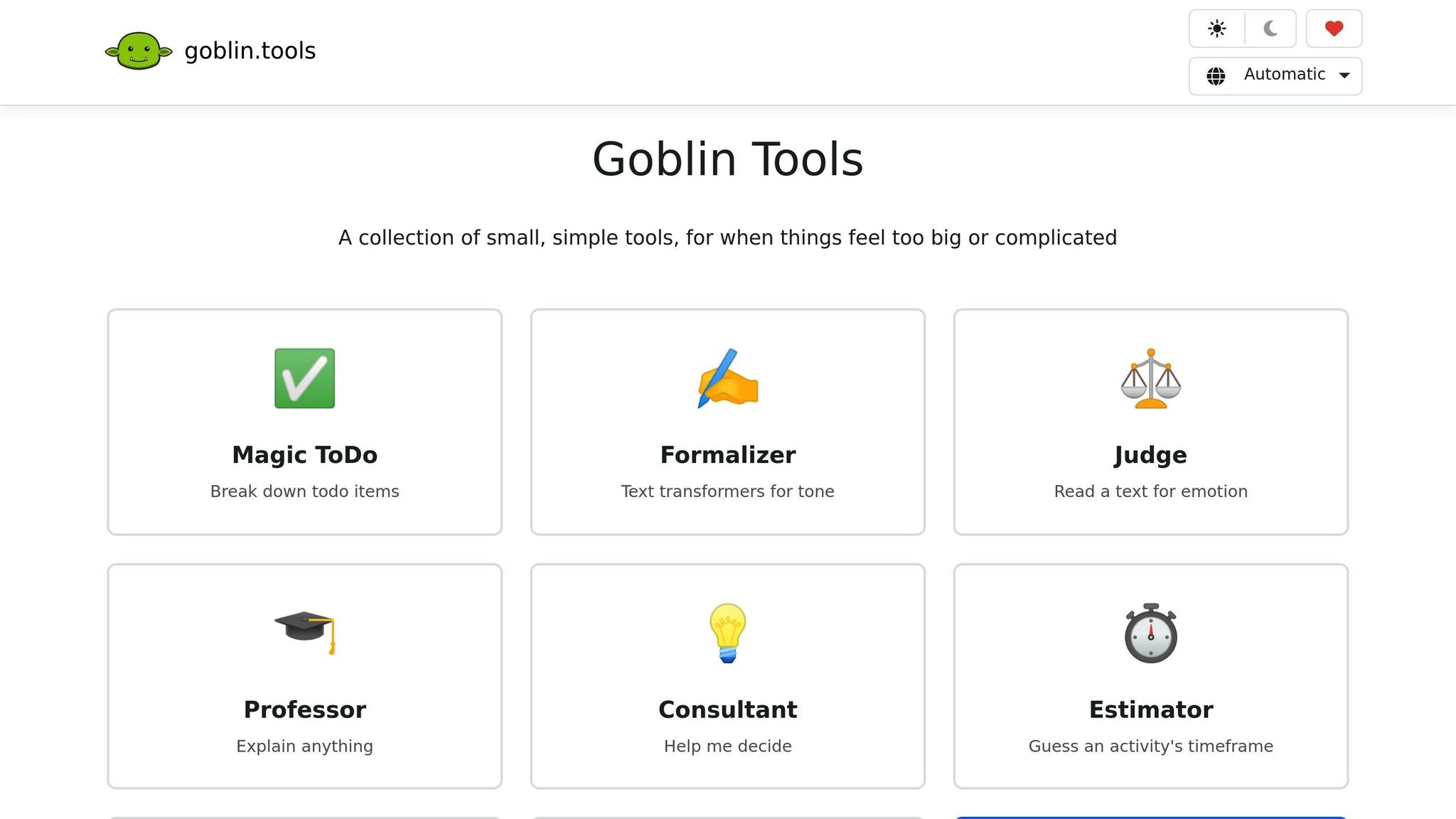
Goblin Tools is a free online toolkit designed to break down overwhelming tasks into smaller, more manageable steps. Its standout feature, Magic ToDo, takes vague tasks like "organize project files" or "prepare quarterly reports" and automatically transforms them into clear, actionable steps. This approach is particularly helpful for overcoming task initiation paralysis, a challenge that professionals with ADHD face, leading to an average loss of 22 workdays per year.
Organization and Task Management
The Compiler tool helps turn scattered thoughts or brainstorming sessions into structured, actionable task lists. Whether you're organizing notes from a meeting or planning a project, it simplifies the process. The Estimator adds another layer of support by predicting realistic timeframes for tasks, helping users manage time blindness and avoid overcommitting. To prioritize effectively, Goblin Tools uses a "spiciness" rating system (from 1 to 5) to classify tasks by their difficulty and emotional weight. This lets you tackle challenging, high-energy tasks during your most productive hours and save easier ones for when you're running low on energy.
"For the first time in weeks, I actually feel like I'm in control"
Focus Improvement
Beyond task management, Goblin Tools also improves communication. The Formalizer refines rough drafts into polished, professional emails, saving mental effort. On the other hand, the Judge tool analyzes the tone and intent of incoming messages, minimizing misunderstandings and distractions from unclear workplace communication.
Goblin Tools' core features are free to use on its web platform at goblin.tools, with mobile apps available for a one-time purchase of around $1.99.
3. Todoist
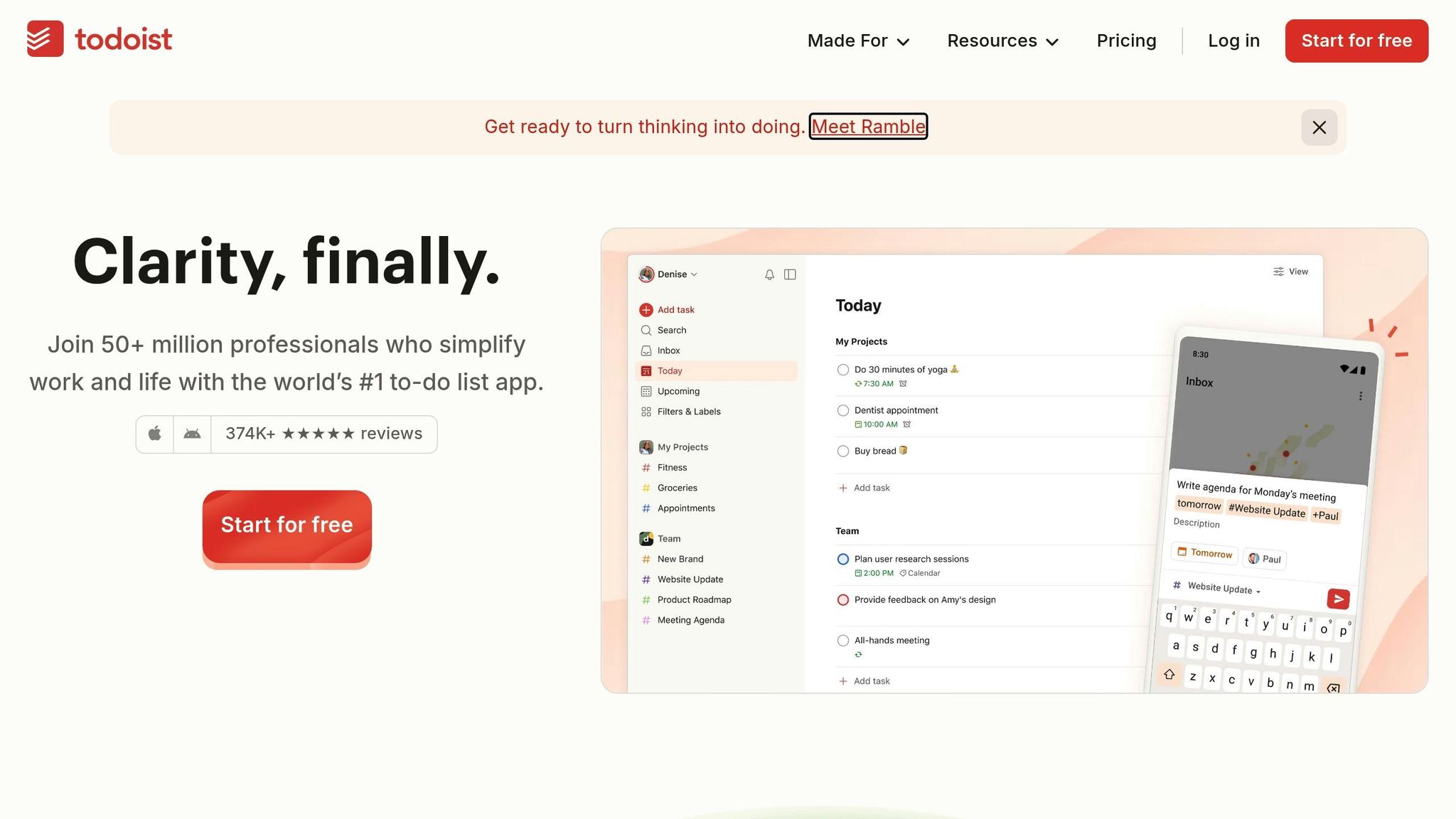
Todoist is a task management app trusted by over 50 million users, with an impressive 2 billion tasks completed so far. For professionals managing ADHD, Todoist offers tools designed to simplify task organization and reduce mental strain. One standout feature is its natural language processing: just type something like "every Monday at 9am" or "next Friday", and the app schedules it for you automatically. This streamlined process removes one of the biggest barriers for people with ADHD - getting started on tasks.
Organization and Task Management
Todoist excels at turning overwhelming projects into smaller, manageable steps. For example, a daunting task like "Prepare Quarterly Report" can be broken down into sub-tasks like "Gather data", "Draft introduction", and "Review with team." This approach creates a sense of progress and makes large projects feel less intimidating.
You can also use custom labels such as @email, @15_min, or @high_energy to filter tasks by context or energy level. This way, you can focus on quick, achievable tasks during periods of low concentration.
"I have ADHD... this allows me to see everything that is due right in front of me and the order in which I should do them." - Kaiinde, User Review
The "Today" and "Upcoming" views are particularly helpful for cutting through the clutter by showing only what’s immediately important. These views prevent the cognitive overload that often comes with seeing a long list of tasks all at once. Additionally, priority levels (p1 through p4) help you identify the most critical tasks to tackle each day. Combined with its scheduling features, Todoist creates a system that works against time blindness and keeps you focused on what matters.
Time Tracking and Scheduling
Beyond task organization, Todoist offers powerful scheduling and time-tracking tools. Its calendar view (available in Pro and Business plans) provides a clear, visual layout of your day, week, or month. This feature is especially useful for people with ADHD who struggle with time blindness, as it helps them visualize their schedule and stay on track.
To make planning even easier, you can assign start times and durations to tasks, creating realistic time blocks that help prevent over-scheduling. The app syncs seamlessly with Google Calendar and Outlook, so your tasks appear alongside meetings, giving you a full picture of your day. Recurring due dates are another handy feature - set reminders like "every last Friday" for monthly reports or "every 3 days starting Monday" to build habits. Automatic reminders, which can be customized or location-based, ensure you never miss a deadline. For time tracking, Todoist integrates with tools like Toggl Track and RescueTime, so you can monitor how long tasks actually take.
Motivation and Habit-Building Support
Todoist goes a step further by incorporating features that motivate users and encourage habit-building. Its Karma points system rewards you for completing tasks and hitting daily or weekly goals. This gamified approach appeals to the ADHD brain, which often craves immediate feedback and rewards. In fact, studies on similar systems show they can improve habit tracking by as much as 23%.
The app also saves mental energy with templates for recurring tasks, so you don’t have to start from scratch every time. Jonathan Moy de Vitry, an innovation consultant, praised Todoist’s design, saying it "feels like it was made by people who have done usability studies and who have looked into reasons why people don't do tasks".
Todoist offers three pricing options: Beginner (free, with 5 projects and basic reminders), Pro ($4/month billed annually, with 300 projects and calendar functionality), and Business ($6/user/month billed annually, featuring team workspaces). With a stellar 4.8/5 star rating from over 374,000 reviews and accolades like "Best to-do list app" from Wirecutter and PC Mag, Todoist remains a top choice for anyone looking to simplify task management without unnecessary complexity.
4. Forest
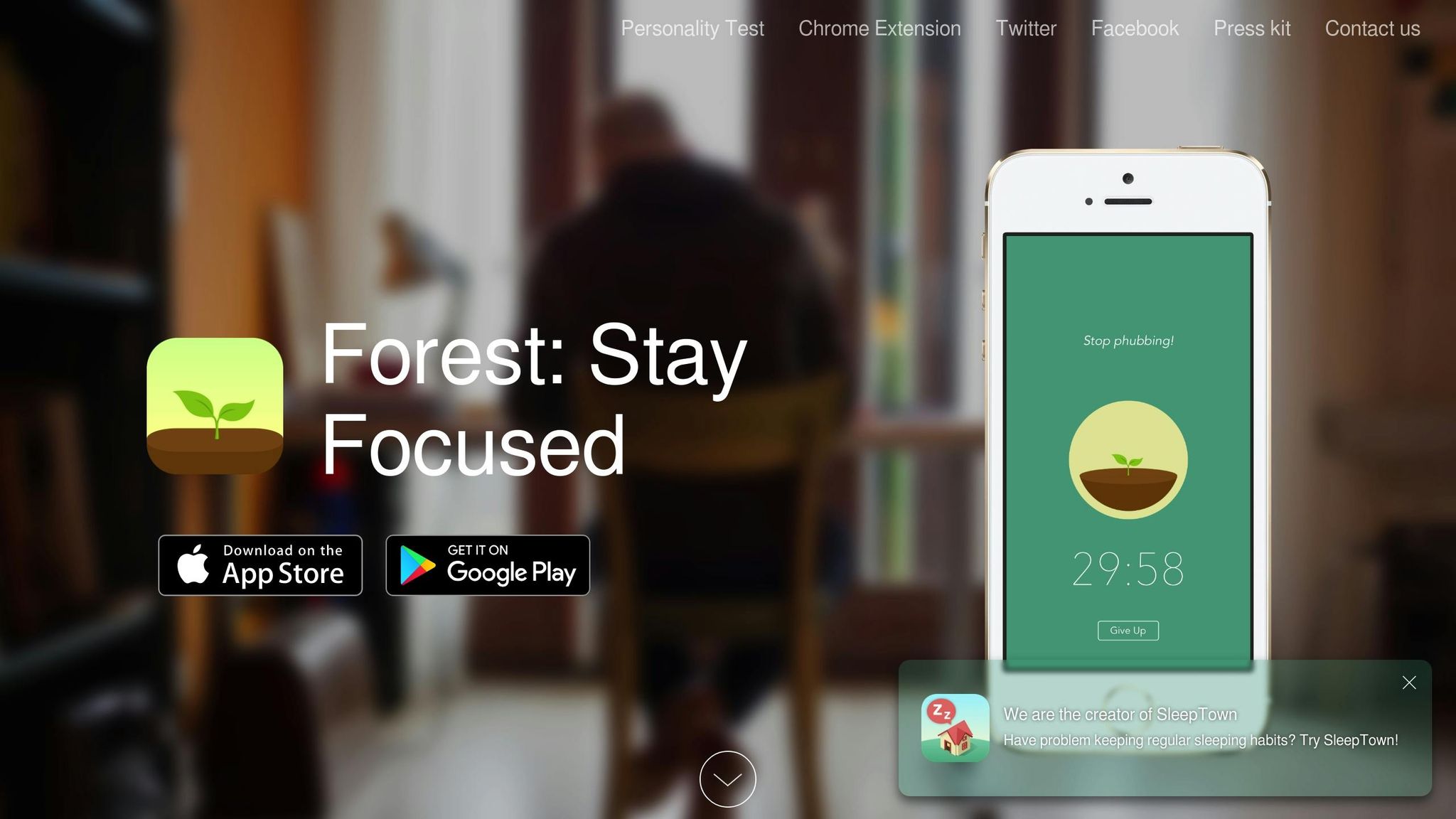
Forest takes a playful approach to combating distractions and encouraging focus. The idea is simple but effective: you plant a virtual tree that grows while you work. However, if you leave the app to scroll through social media or browse the internet, your tree withers and dies. This small but impactful feature introduces an emotional consequence for distractions.
Focus Improvement
For professionals with ADHD - or anyone prone to frequent phone-checking - Forest offers immediate visual feedback. Watching the tree grow provides a tangible sense of progress, while also acting as a clear signal to start tasks. This can help counteract "time blindness", a common challenge for those with ADHD. The app also extends to desktop use, with a browser extension that blocks distracting websites. Its "Locked Mode" ensures you stay within the app during focus sessions. Studies suggest that tools like Forest can boost attention spans by around 35%.
Motivation and Habit-Building Support
Forest doesn’t just help you focus - it also tracks your progress. Over time, your digital forest grows, offering a satisfying visual representation of your productivity. Plus, the app takes it a step further by letting you use earned virtual coins to plant real trees through its partnership with Trees for the Future. By early 2026, Forest users had planted more than 109,760 real trees worldwide. The app even supports group planting sessions, promoting social accountability during demanding projects.
Forest is available for a one-time cost of $3.99 on iOS, while Android users can access it through a freemium model. For those seeking additional features like web sync and advanced tree-planting options, a Forest Plus subscription is available. With a 4.5/5 rating from Mashable, Forest is a great option for anyone aiming to stay focused and reduce distractions during work sessions.
5. TickTick
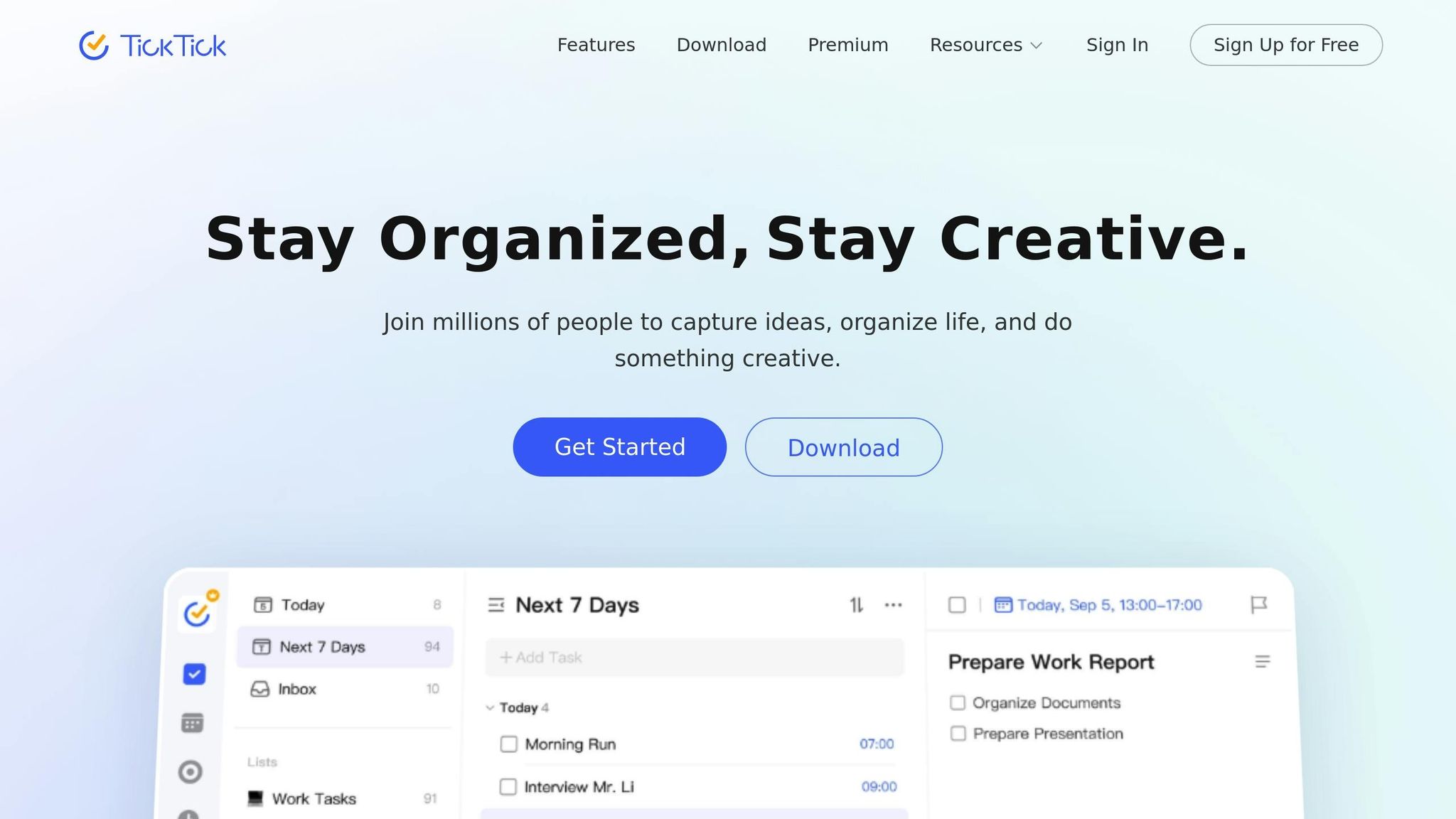
TickTick combines organization, scheduling, and focus tools into one app, providing a comprehensive way to address executive function challenges. With over 50 million downloads, it has earned "Editors' Choice" status on major app stores and boasts an impressive 4.9/5 rating from 41,000 users on the App Store. Founder Damon Woo explained that users seek more than just task lists - they want tools to "manage everything in their lives".
Organization and Task Management
TickTick streamlines task creation with natural language processing. For example, typing "Meeting at 2pm tomorrow" automatically schedules the task without extra steps. Its visual tools, like Kanban boards for project management and an Eisenhower Matrix for prioritizing tasks by urgency and importance, make organization intuitive.
Time Tracking and Scheduling
The app’s calendar offers daily, weekly, and monthly views, allowing users to drag tasks into time blocks to minimize decision fatigue. Premium users also gain access to a Timeline view, similar to a simplified Gantt chart, for clear project scheduling. Smart reminders - like location-based alerts and persistent "Constant Reminders" - help ensure nothing slips through the cracks. These scheduling features integrate seamlessly with TickTick's focus tools, creating a cohesive workflow.
Focus Improvement
TickTick enhances focus with a built-in Pomodoro timer tied directly to tasks, letting you track exactly how much focus time you dedicate to each project. User feedback suggests this feature can increase focus time by about 40%. The timer also includes white noise options and distraction tracking to support concentration during 25-minute work sessions. Engineering Lead Ben Kowalski shared that his remote team of 12 completed 34% more features in one quarter by using TickTick’s shared lists and calendar reviews.
Motivation and Habit-Building Support
The habit tracker visualizes progress on a grid, making it easier to build momentum and stick to routines. This feature is especially effective for managing workplace ADHD, with users reporting a 73% higher habit completion rate compared to generic reminder apps. Priya Sharma, a user, credited the habit tracker with transforming her daily routine, noting that the streak system kept her motivated. TickTick also gamifies productivity by offering rewards for focus and achievements, while detailed statistics show progress over time.
TickTick’s free plan includes unlimited tasks, reminders, calendar views, a habit tracker, and a Pomodoro timer. The Premium plan, which costs $35.99 annually (around $2.99 per month), offers additional features.
6. Brain.fm
Brain.fm taps into neural phase-locking technology to help users achieve and maintain focus. A 2024 study published in Communications Biology revealed that Brain.fm activates attention networks more effectively than traditional audio options [57,58].
Focus Improvement
This app uses patented technology to target beta brainwaves (12–30 Hz), which are essential for problem-solving. By boosting their activity by 119%, Brain.fm enhances your ability to concentrate [55,58]. Unlike typical music with lyrics that can distract, Brain.fm’s tracks are purposefully designed to sustain focus [8,58].
For users with ADHD, the app offers a dedicated mode that provides tailored auditory stimulation to help maintain attention and eliminate distractions during deep work sessions [54,57]. Ben Simpson, an ADHD user, shared his experience:
"It's a literal cure for my ADHD. Just came out of a 4.5hr deep work session. Truly am amazed, usually can't concentrate for longer than 30mins".
Accessible on Web, iOS, Android, and Desktop, the app ensures you can maintain a consistent focus environment no matter where you are [54,55]. It also integrates focus-enhancing features with scheduling tools to structure your work sessions seamlessly.
Time Tracking and Scheduling
Brain.fm doesn’t just stop at improving focus - it also helps users manage their time effectively. The app includes customizable timers, such as Infinite for uninterrupted sessions, Timer for fixed durations, and Interval for Pomodoro-style work. The Interval timer is particularly useful for Pomodoro enthusiasts: set it to Focus mode for 25-minute work sprints and switch to Relax mode for 5-minute breaks. This alternating pattern creates clear neurological boundaries, making transitions between work and rest smoother [59,60]. These auditory cues are especially helpful for professionals with ADHD, aiding them in shifting between tasks without losing momentum.
Motivation and Habit-Building Support
Brain.fm goes beyond just helping you focus - it also supports habit formation and task initiation. Acting as a ritual tool, it signals your brain when it’s time to dive into deep work, helping to overcome task initiation paralysis [54,56]. Studies show that consistent background sound can enhance focus by as much as 38%.
To simplify things further, Brain.fm eliminates decision fatigue by automatically managing music variety, so you don’t have to worry about selecting playlists or songs. New users can take a personalization quiz to fine-tune the app’s settings, ensuring the auditory experience matches their neurotype and avoids boredom or overstimulation [55,58]. For those interested in trying it out, Brain.fm offers a 14-day free trial and a 20% discount for students with a .edu email or valid student ID [55,58].
7. Focus Keeper
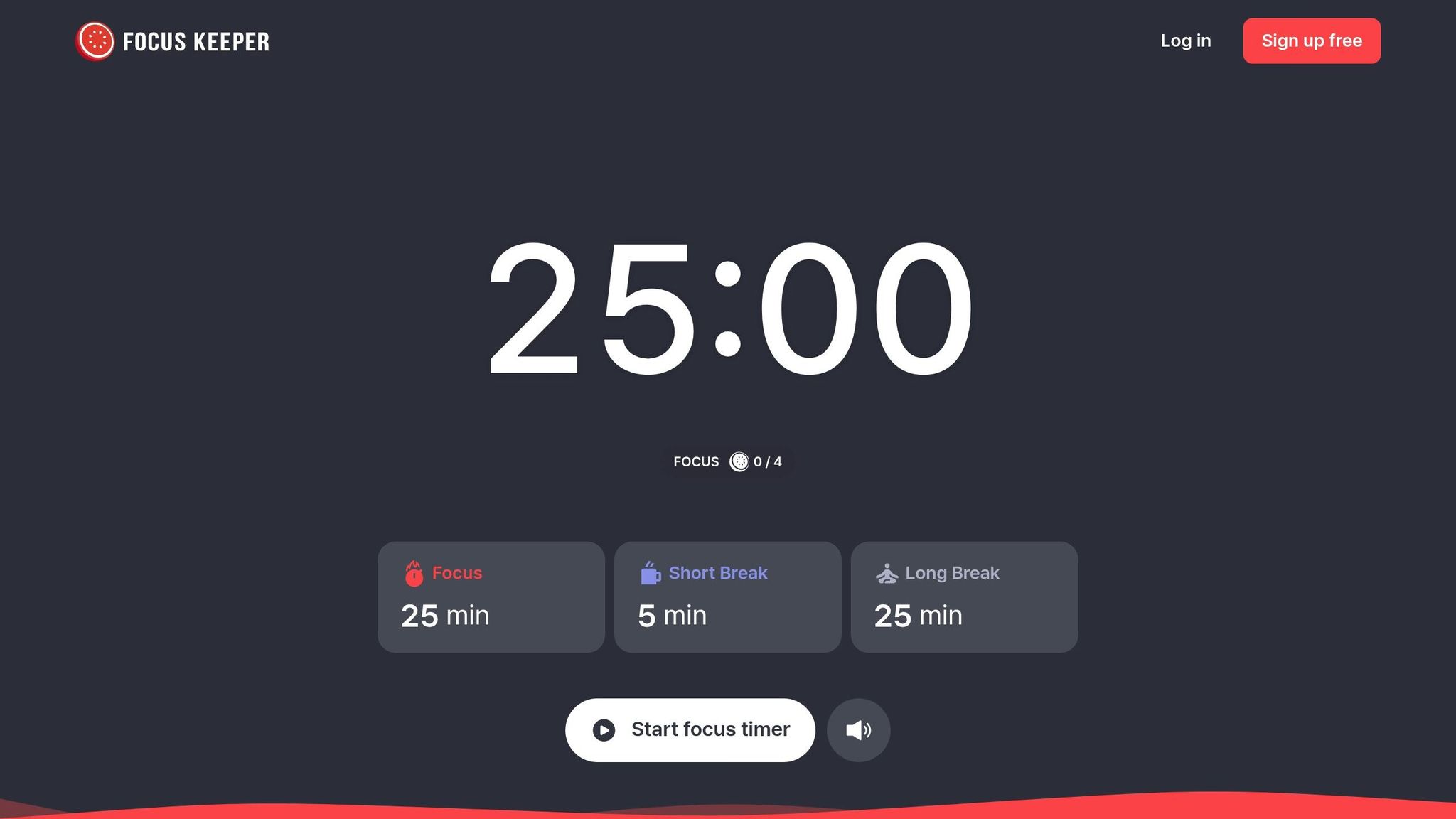
Focus Keeper boasts an impressive 4.8/5 rating from over 65,000 users and a 95% satisfaction rate. This straightforward Pomodoro timer is designed to help users overcome the challenge of starting tasks - a common struggle for professionals with ADHD. It works seamlessly alongside other tools by focusing on execution and maintaining momentum.
Focus Improvement
One of the app's standout features is its ability to ease the difficulty of task initiation. It combines task lists with active timers, directing your attention to what needs to be done in the moment. The visual countdown feature helps users stay aware of time, reducing the effects of time blindness. Additionally, audio cues like ticking clocks or ambient sounds (e.g., rain or steam) act as gentle nudges, encouraging deep focus during work sessions [68,70].
As startup CEO HyeSeon shared:
"Managing a company requires focus. This app keeps me on schedule, helping me balance tasks and deep work sessions. Simple yet powerful!"
With these tools in place, Focus Keeper ensures your attention stays where it’s needed, while its scheduling features make every moment count.
Time Tracking and Scheduling
Focus Keeper doesn’t just help you stay on track - it also keeps a record of your progress. Each focus session is automatically logged, and you can adjust session lengths from 1 to 124 minutes to accommodate everything from quick tasks to long, immersive work periods [69,70]. The app’s Smart Charts provide 14- and 30-day productivity insights, helping you identify when you’re most productive. Color-coded task tags make it easy to organize time across multiple projects [69,70].
Motivation and Habit-Building Support
To keep you motivated, Focus Keeper tracks your progress and helps you set clear daily goals. The app provides visual representations of your achievements through intuitive charts. This feature has proven invaluable for users like Ethan, a marketing manager:
"I love how I can plan my day with to-dos and focus sessions. The timer helps me avoid procrastination and get more done."
For those looking for more advanced features, the Pro version is available at $3.99 per month or $34.99 per year. It includes unlimited to-dos, advanced customization options, and cross-device synchronization. Meanwhile, the free version offers essential tools like basic timers, progress tracking, and productivity charts.
8. Tiimo
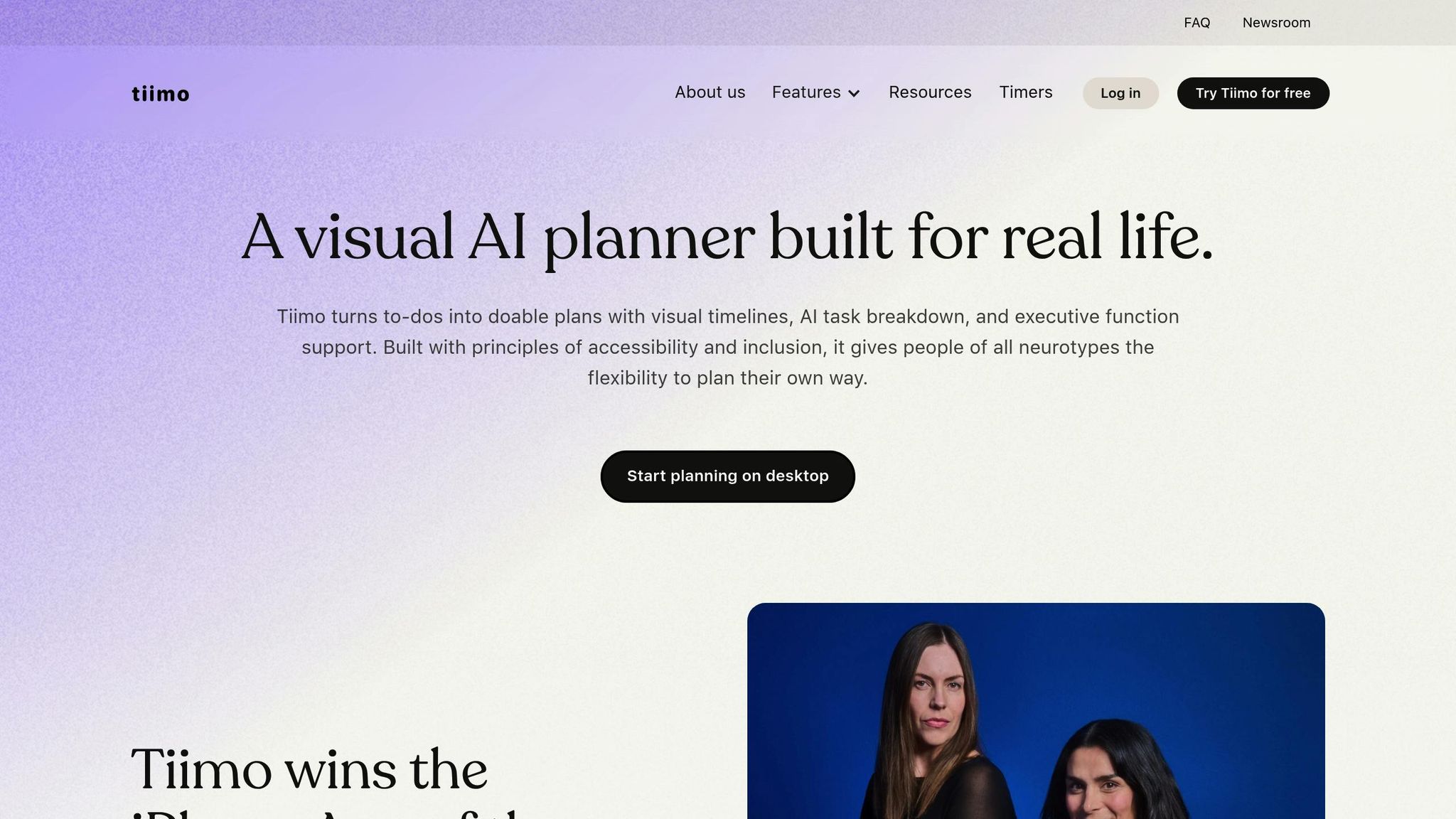
With 3 million downloads and the distinction of being named iPhone App of the Year 2025, Tiimo has become a trusted tool for over 500,000 professionals. Co-founder Melissa Würtz Azari shared the inspiration behind the app:
"My ADHD and dyslexia showed me how much the world isn't built for brains like mine. We created Tiimo to change that, so planning feels easier and actually works for you."
Tiimo simplifies day planning by replacing traditional text-heavy lists with a color-coded timeline. This approach makes managing time and tasks more intuitive [75, 77].
Organization and Task Management
Tiimo's AI Co-planner turns chaotic ideas into clear, actionable plans. Whether you input your thoughts via text or voice, the AI breaks them down into micro-tasks complete with time estimates, icons, and tags. This greatly reduces the mental effort required to start and manage complex projects [72, 74].
The app's dedicated To-do tab captures ideas on the fly, while its seamless calendar integration - available on desktop, mobile, and Apple Watch - lets you see tasks and meetings side by side [72, 73]. For users who find rigid schedules overwhelming, the "Anytime" mode offers a more flexible way to list tasks without assigning specific time slots.
Tiimo doesn’t just organize your day - it makes managing your time feel achievable.
Time Tracking and Scheduling
Tiimo keeps you focused with its automatic focus timer, which activates for scheduled tasks. The timer stays visible through widgets, Live Activities, or the Dynamic Island on iPhone, so you don’t have to keep opening the app [72, 74]. Customizable notifications, including 5-minute warnings, ensure smooth transitions between tasks.
One user, smithjasonrichard, shared their experience:
"It allows me to plan my morning routine and my afternoon work schedule. It gives me confidence that I am on top of my life."
At the end of the day, the "Review Today" feature helps you assess unfinished tasks and move them forward. Among Tiimo Pro users, 94% report feeling more in control of their workload, and 80% say their stress levels have decreased.
Motivation and Habit-Building Support
Tiimo also supports habit-building by reinforcing positive routines. Its mood tracking feature lets you log emotions and energy levels, helping you identify when you're most productive so you can plan demanding tasks accordingly [72, 75]. To keep you motivated, the app celebrates small achievements with "Tiny Rewards" and provides progress checks to maintain momentum. Customizable reminders and always-visible timelines (via widgets) ensure your priorities stay front and center [72, 80].
One user summed it up perfectly:
"If you struggle with staying on track and building habits or routines, stop everything and try Tiimo."
The free version of Tiimo includes essential tools like to-do lists and the focus timer. For those looking for more, Tiimo Pro offers a 7-day free trial and unlocks features such as unlimited AI planning, custom widgets, advanced scheduling, and calendar synchronization. As of February 2026, a limited-time promotion offers 30% off Pro subscriptions [72, 73].
9. Sunsama
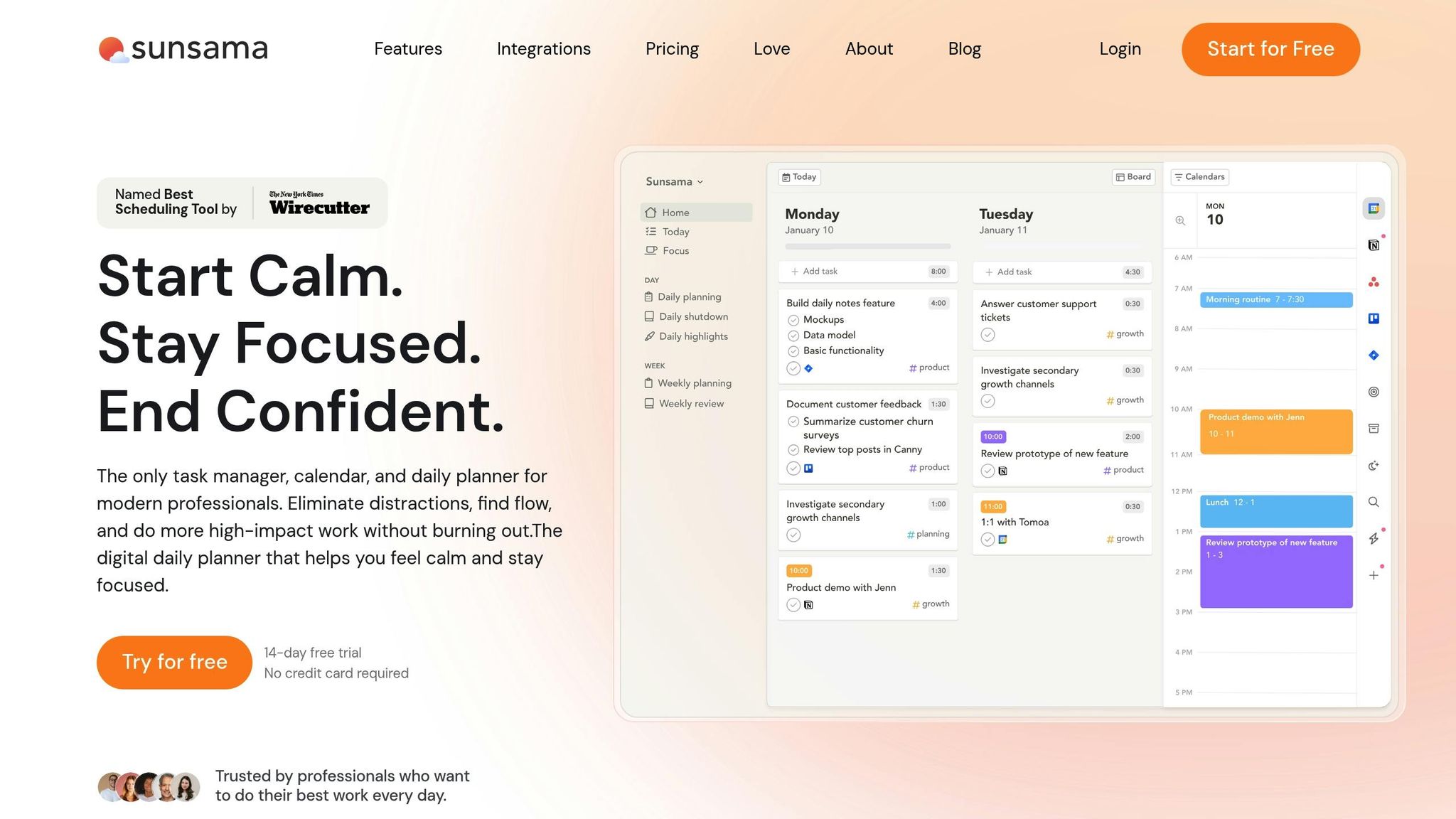
Sunsama, highlighted by Wirecutter as a top-tier scheduling tool and trusted by leading executives, turns scattered tasks into a clear, actionable daily plan. Designed to enhance focus and simplify executive function, it's a game-changer for professionals managing ADHD.
Organization and Task Management
Sunsama pulls together tasks from platforms like Trello, Asana, Jira, ClickUp, GitHub, and Notion into a single, streamlined daily view. This reduces the need to constantly switch between tools, saving time and mental energy. Its Guided Daily Planning Ritual walks you through a step-by-step process each morning to align your goals and prioritize what truly matters. Paul Galatis, CEO of Names and Faces, shares:
"The tool that has had the greatest impact on my life and my productivity is unquestionably Sunsama."
The app's Focus Mode minimizes distractions by hiding unnecessary tasks, while its drag-and-drop calendar feature helps you map out your day visually. It even tracks your planned commitments and flags when you're overbooked, ensuring your goals stay realistic and manageable.
Time Tracking and Scheduling
Studies suggest that investing just 10–12 minutes in morning planning can save up to 2 hours and boost productivity by 25%. Sunsama leverages this insight with tools like timeboxing and auto-scheduling, which automatically fit tasks into open calendar slots. Features like task projection previews, a built-in timer, and AI-driven task duration estimates further refine your schedule. With detailed analytics, users report 30% fewer missed deadlines, making it easier to stay on top of priorities.
Motivation and Habit-Building Support
Sunsama goes beyond scheduling by helping you build lasting habits. Its Daily Shutdown Ritual lets you reflect on progress, log "daily wins", and set boundaries between work and personal life. The Weekly Review and Planning workflow encourages long-term goal setting, while the "Focus Three" strategy prompts you to identify the three most critical tasks for the day - reducing decision fatigue by 67%. Geoff Ralston, President of Y Combinator, puts it simply:
"I use Sunsama to track everything and ensure important tasks get done."
With a 14-day free trial (no credit card required), Sunsama's guided workflows ease the burden on executive function, making it particularly helpful for professionals with ADHD. By solidifying daily routines and fostering better habits, it empowers users to take control of their productivity.
Feature and Pricing Comparison
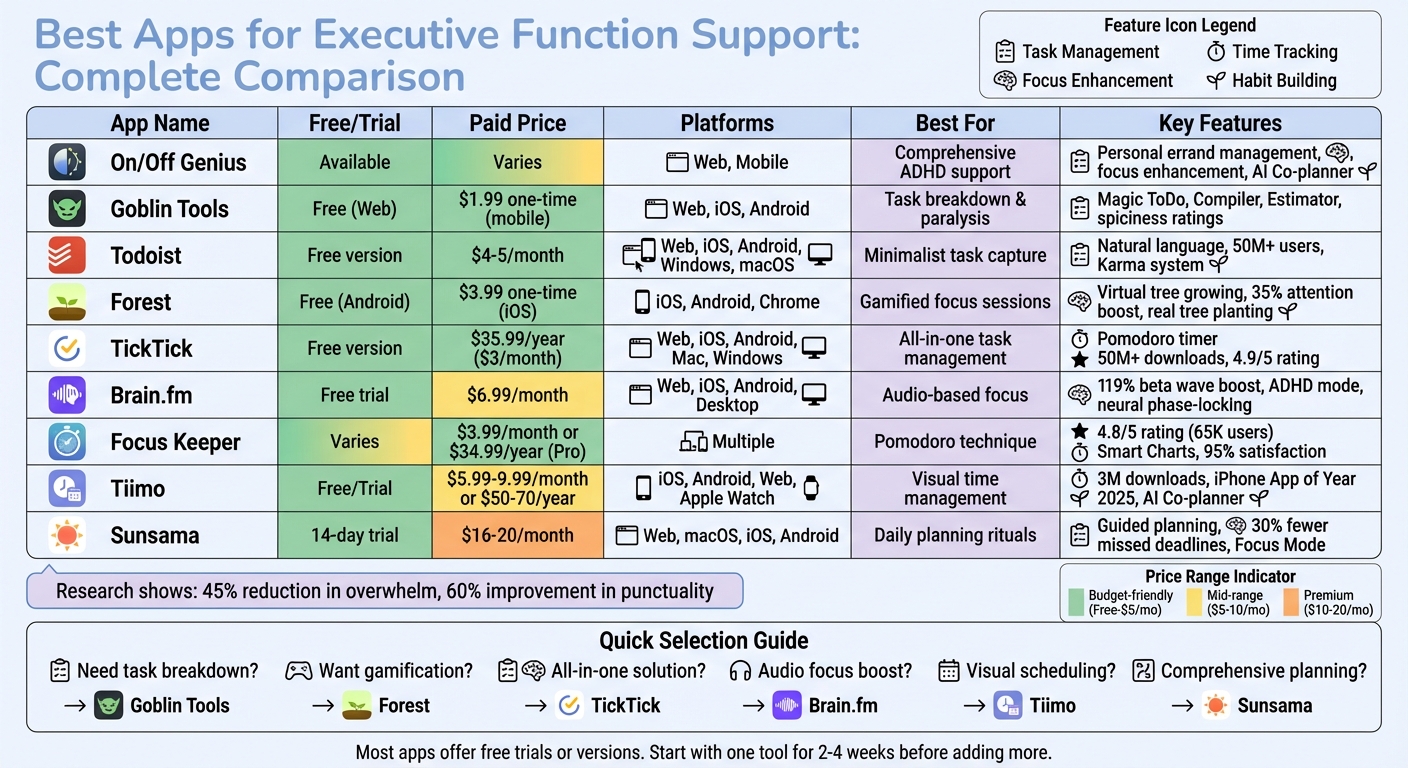
ADHD Productivity Apps Comparison: Features, Pricing, and Best Use Cases
This section breaks down features, pricing, and platform compatibility to help you find the best tool for managing ADHD. For professionals aiming to improve focus, organization, and productivity, comparing these aspects can make all the difference.
When deciding, consider your budget, platform preferences, and specific needs. Prices vary widely, from free options to premium subscriptions costing up to $20 per month. Francesco D'Alessio from Tool Finder highlights:
"Pricing ranges from free to around $20 per month. We've included budget options because, after all, managing ADHD often incurs unexpected costs."
For those seeking affordability, Goblin Tools and Forest are excellent choices, with one-time purchases under $5. Meanwhile, Todoist and TickTick offer robust free versions that many professionals find sufficient. At the higher end, Sunsama charges $16–$20 monthly, catering to executives with its comprehensive planning features. Many tools also follow a freemium model, providing basic features for free and advanced options through subscriptions.
Platform availability is another critical factor. Most tools support iOS, Android, and web browsers. However, Tiimo and Forest tend to perform better on iOS, while Sunsama and Todoist excel with dedicated desktop apps for macOS and Windows.
Research suggests these tools can reduce feelings of overwhelm by 45% and improve punctuality by 60%. Your choice will depend on your unique needs - whether it's breaking down tasks (Goblin Tools), visual time blocking (Tiimo), audio focus aids (Brain.fm), or all-encompassing daily planning (Sunsama). Below is a table summarizing the key differences in cost, platform support, and ideal use cases.
| App | Free/Trial | Price (USD) | Platforms | Best For |
|---|---|---|---|---|
| On/Off Genius | Available | Varies | Web, Mobile | Comprehensive ADHD support |
| Goblin Tools | Free (Web) | $1.99 one-time (mobile) | Web, iOS, Android | Task breakdown and overcoming paralysis |
| Todoist | Free version | $4–$5/month | Web, iOS, Android, Windows, macOS | Minimalist task capture |
| Forest | Free (Android) | $3.99 one-time (iOS) | iOS, Android, Chrome | Gamified focus sessions |
| TickTick | Free version | $3–$4/month or $35.99/year | Web, iOS, Android, Mac, Windows | All-in-one task management |
| Brain.fm | Free trial | $6.99/month | Web, iOS, Android | Audio-based focus enhancement |
| Focus Keeper | Varies | Varies | Multiple | Pomodoro technique |
| Tiimo | Free/Trial | $5.99–$9.99/month or $50–$70/year | iOS, Android, Web, Apple Watch | Visual time management |
| Sunsama | 14-day trial | $16–$20/month | Web, macOS, iOS, Android | Daily planning rituals |
This comparison highlights the variety of tools available, catering to different budgets and productivity needs. Whether you're looking for a simple task manager or a more advanced planning solution, there's something here to support your goals.
Conclusion
Choosing the right tools can make a world of difference when tackling executive function challenges at work. The right mix doesn't just help you stay organized - it can truly reshape how you approach tasks. These tools serve as a kind of cognitive support system, taking on the heavy lifting of planning, prioritizing, and remembering. For professionals with ADHD, this can mean less time spent battling time blindness or decision fatigue and more energy for what really matters.
"The best ADHD app is the one that works with your brain instead of demanding your brain work differently." - Browwwser Resources
Start by identifying where you face the most friction. Is it getting started on tasks? Keeping track of time? Managing sensory input? Once you know your sticking points, try one tool at a time for two to four weeks. This gives you the chance to see what works before adding more tools to your routine. Research backs this up - studies show that professionals using ADHD-focused apps for just eight weeks see noticeable improvements in planning and organization.
Resist the urge to download every app you come across. Instead, take a deliberate approach. The best system isn’t a single app; it’s a combination that fits your energy levels, focus patterns, and how your brain naturally works.
Whether it’s Goblin Tools for breaking down daunting tasks, Tiimo for visual time management, or Brain.fm to create a focused work environment, the right tools can help you build a system that supports - not fights against - your productivity.
FAQs
How do I pick the right app for my ADHD challenges?
When picking an app to help lighten your mental workload, focus on finding one that aligns with your specific needs. Look for features like simple task entry options (such as voice input), clear visuals for easy navigation, and automated reminders to keep you on track. Apps that include rewards systems or gamification elements can also make staying engaged more enjoyable.
It’s worth experimenting with a few different options to see which one best supports your workflow. However, keep in mind that these apps are tools - they work best when paired with broader strategies, like seeking professional advice or adopting lifestyle adjustments.
Should I use one app or combine a few tools?
When it comes to staying organized and productive, relying on a single app might not always cut it. Different tools are designed to shine in specific areas - whether it's managing tasks, tracking time, or building habits. Instead of sticking to just one, consider combining a few apps that complement each other and meet your needs. For example, you could pair a digital planner for scheduling, a habit tracker to monitor progress, and a focus timer to stay on task. This way, you get the best of each tool without overwhelming yourself with unnecessary complexity.
How long should I try an app before switching?
Trying an app for at least a few weeks can help you evaluate how well it meets your needs. This period gives you enough time to see if it supports areas like focus, organization, or time management. Jumping from one app to another too quickly might stop you from fully understanding what it can offer.