How Visual Timelines Improve ADHD Time Management
Visual timelines turn ADHD time blindness into concrete schedules, using color coding, timers, and time-blocking to reduce missed deadlines.
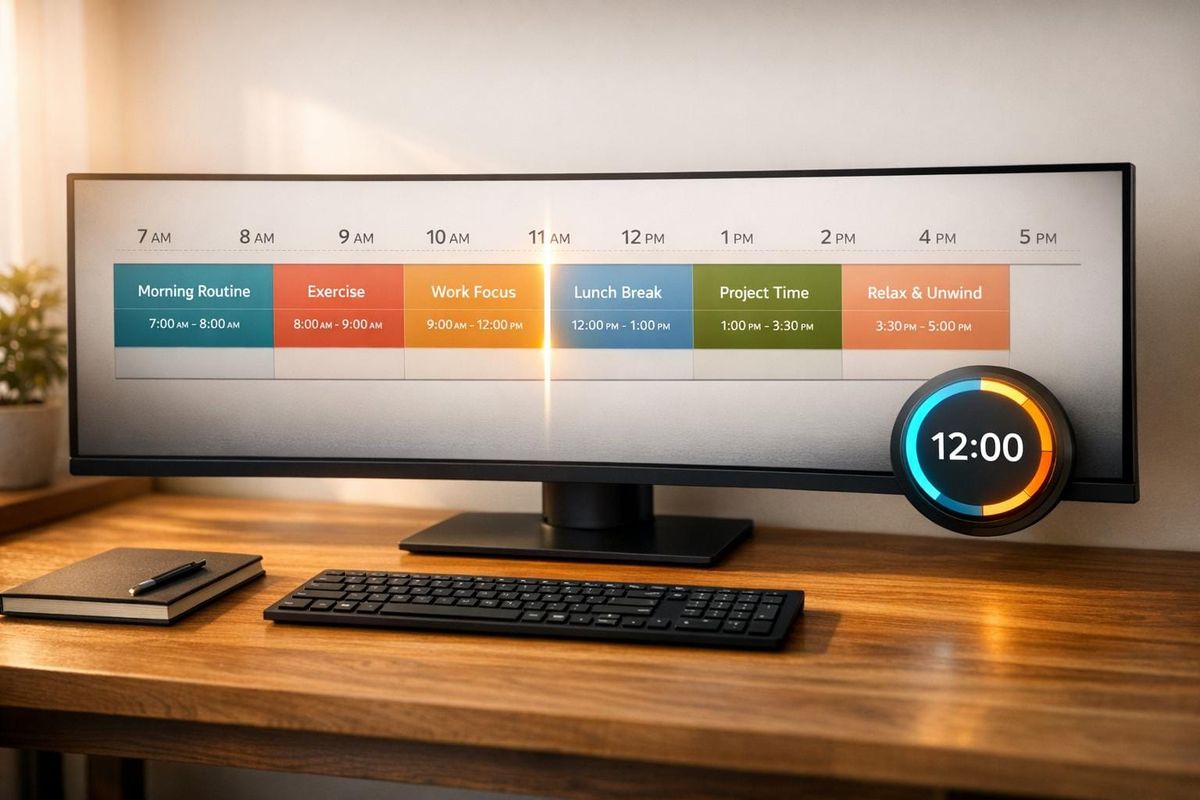
Struggling with time management due to ADHD? Visual timelines might be the solution. Time blindness - a common challenge for those with ADHD - makes it hard to perceive time, plan tasks, and meet deadlines. Visual timelines turn abstract time into something you can see, helping you manage your day more effectively. Here’s why they work and how to use them:
- Why Visual Timelines Work: The ADHD brain processes visuals faster than text, making color-coded timelines easier to understand. They reduce reliance on memory by externalizing plans and deadlines.
- Key Benefits: Improve task prioritization, track progress, and reduce missed deadlines by visually mapping out your day.
- Tools and Formats: Use digital apps like DayZen or physical planners with color coding. Add tools like visual timers to stay on track.
- Practical Tips: Break tasks into smaller steps, use a 25% time buffer, and schedule breaks to reset focus. Highlight priorities with bold colors to stay organized.
How I Manage My Time (with ADHD) - The Time Block Method
sbb-itb-f879324
Understanding ADHD and Time Blindness
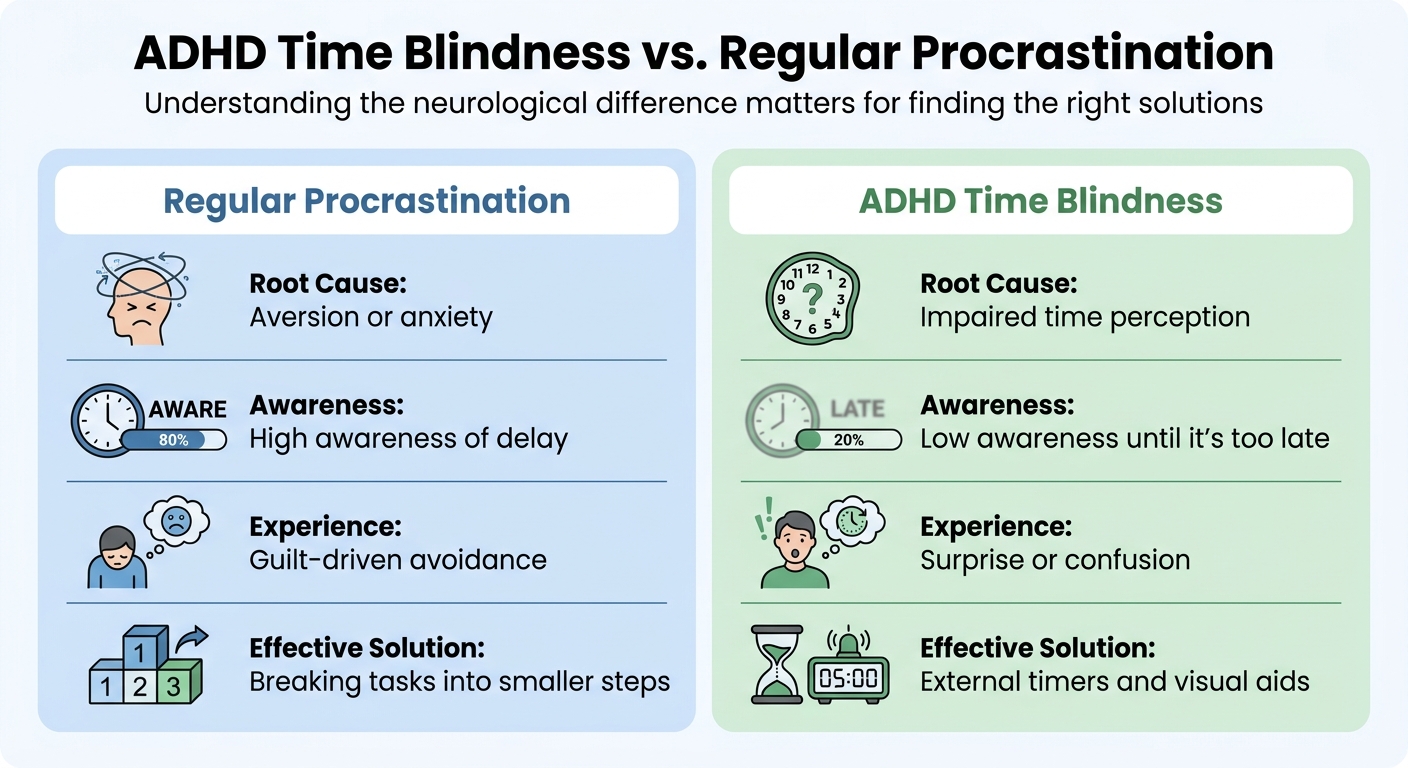
ADHD Time Blindness vs Regular Procrastination: Key Differences
The Science Behind Time Blindness
Time blindness isn’t just being "bad with time." It’s a neurological issue where the brain’s internal clock works inconsistently, making it difficult to gauge how much time has passed or how long tasks will take.
This challenge stems from two main areas in the brain. First, the prefrontal cortex - often referred to as the brain’s conductor - has reduced activity in adults with ADHD. This impacts their ability to monitor time and organize plans. Dr. Geeta Grover, a developmental and behavioral pediatrician, explains:
Imagine your brain is like a big orchestra. This prefrontal part of your brain is the conductor of the orchestra. It makes sure that everyone is making music together... In ADHD brains, differences in their prefrontal cortex can hinder time management skills.
Second, issues with dopamine regulation in the basal ganglia disrupt the brain’s internal timing system. When dopamine signals become erratic, the brain’s "mental stopwatch" can speed up, slow down, or even stop - especially during hyperfocus.
This leads to what researchers call the "Now vs. Not Now" problem. For the ADHD brain, time is perceived in extremes: either something is happening right now, or it exists in a vague, distant future. Tasks due tomorrow or next month feel equally abstract until they suddenly shift to "now" - often when it’s already too late.
Time blindness affects five specific areas:
- Time perception: Sensing how much time has passed.
- Time horizon: Recognizing when deadlines are approaching.
- Time management: Coordinating tasks within a schedule.
- Time sequencing: Placing tasks in the right order.
- Time reproduction: Repeating actions for consistent durations.
Each of these dimensions creates unique hurdles in professional environments.
Challenges in Professional Contexts
In the workplace, time blindness shows up in ways that standard productivity advice often overlooks. One common issue is underestimating how long tasks will take - by as much as 30% to 100%. For instance, you might think a report will take two hours, only to find yourself still working six hours later, wondering where the time went.
Another challenge is "waiting mode." This happens when an upcoming event dominates your focus, making it hard to start anything else. For example, a 2:00 PM meeting might overshadow your entire morning, leaving you stuck in a low-productivity limbo.
Hyperfocus presents a unique paradox. While it allows for deep, high-quality work, it also suspends time awareness entirely. Hours can slip by unnoticed, causing missed meetings, skipped meals, or neglected priorities because your internal clock essentially shuts off.
Here’s how time blindness differs from regular procrastination:
| Feature | Procrastination | ADHD Time Blindness |
|---|---|---|
| Root Cause | Aversion or anxiety | Impaired time perception |
| Awareness | High awareness of delay | Low awareness until it’s too late |
| Experience | Guilt-driven avoidance | Surprise or confusion |
| Effective Solution | Breaking tasks into smaller steps | External timers and visual aids |
Another workplace issue is what’s called "asynchronous communication collapse." Emails or messages requiring future action often feel too abstract to address immediately. They sit unread or unanswered until they become urgent, straining professional relationships and creating unnecessary stress.
Traditional time management strategies often fail because they assume a reliable internal clock and well-functioning executive functions - both of which can be unreliable for someone with ADHD. That’s why external tools, like visual timers and schedules, aren’t just helpful - they’re essential.
How Visual Timelines Make Time Concrete
For ADHD professionals, time often feels like an abstract concept. Due to challenges with the prefrontal cortex, tracking time internally becomes unreliable - minutes and hours tend to slip by unnoticed until they’re gone. Visual timelines address this by turning time into something you can see rather than something you must remember.
When tasks are mapped out on a visual timeline, abstract durations are transformed into spatial blocks that are easy to interpret. This approach shifts the responsibility of tracking appointments from your working memory to your visual environment . For example, a two-hour task visually takes up twice the space of a one-hour task, allowing your brain to perceive time as size . This makes it easier to evaluate and prioritize tasks.
Here’s the science behind it: the brain can process an image in just 13 milliseconds. In contrast, reading and decoding a text-based to-do list requires multiple mental steps, which can overwhelm an already taxed working memory. With visual timelines, color-coded blocks - like red for focused work and green for admin tasks - offer an instant snapshot of your day.
These timelines also tackle the "Now vs. Not Now" dilemma. Deadlines often feel distant and insignificant until they suddenly become urgent. A visual timeline eliminates this ambiguity by showing exactly where you are in your day and how much time remains . Psychiatrist Dr. Lisa MacLean, who specializes in ADHD, explains:
The brain of someone with ADHD doesn't naturally create this framework for time management. Visual planners externalize the entire structure.
To further reinforce this visual strategy, tools like analog clocks and visual countdown timers (such as the Time Timer with its shrinking red disc) provide a physical representation of time . Unlike digital clocks, which only show the current moment, these tools depict time as something that visibly diminishes. This compensates for the internal clock's unreliability, often linked to dopamine dysregulation .
Why Visual Representations Work for ADHD Brains
Let’s dive into why visual representations are so effective for ADHD brains, especially after discussing how making time more concrete can help tackle ADHD challenges.
Visual timelines offer a clever solution to a common ADHD hurdle: limited working memory. Traditional text-heavy to-do lists require reading, interpreting, and categorizing - tasks that can easily overwhelm someone with ADHD. On the other hand, color-coded visuals provide an immediate, all-in-one snapshot, skipping the mental gymnastics of categorization altogether. This isn’t just about preference - it’s a way to work around the brain’s wiring.
For the 90% of children with ADHD who struggle with executive function deficits - many of whom carry these challenges into adulthood - translating abstract time into visual space can significantly ease the mental effort needed to assess how long tasks will take. This is especially helpful in today’s fast-paced world, where workers switch between apps and interfaces roughly 1,200 times a day. Visual timelines simplify this chaos, turning time into something you can see and grasp instantly.
There’s solid research backing this up. A study led by Birgitta Wennberg at Linköping University tested the impact of time-assistive tools, like visual timers and weekly schedules, on 38 children with ADHD (ages 9–15). The results? The kids in the intervention group showed clear improvements in time-processing ability (p = 0.019), and their parents noticed better daily time management (p = 0.01).
Visual timelines also make task transitions smoother. Having visual markers for upcoming tasks helps reduce the anxiety and resistance that often come with switching gears. Instead of relying on memory to figure out what’s next, you can simply glance at your timeline. This externalization of time provides a kind of mental scaffolding, making the future feel more tangible and less abstract.
Types of Visual Timelines
Different visual timeline formats can address various needs. Here are a few examples:
- Color-coded calendars: These use colors to categorize tasks at a glance - red for urgent deadlines, blue for work-related tasks, and green for personal activities. This setup helps you quickly spot priorities.
- Gantt charts: These charts use horizontal bars to show task durations and dependencies, making them ideal for managing multi-step projects.
- Visual task boards: Kanban-style boards divide tasks into columns like "To Do", "In Progress", and "Done." This spatial layout not only organizes your workflow but also reduces decision fatigue.
Each of these formats transforms the abstract nature of time into something you can see and interact with, making it much easier to manage.
Step-by-Step Guide to Setting Up a Visual Timeline
Choosing the Right Tools and Formats
Start by deciding whether digital, physical, or a mix of both tools works best for you. Digital options like SparkDay and DayZen offer scrollable 24-hour timelines, making time feel more tangible and less abstract. For those who struggle with shifting tasks, Motion uses AI to automatically adjust your schedule, addressing the planning challenges often associated with ADHD. These apps also provide alerts, which are crucial for breaking hyperfocus cycles and staying on track.
Physical tools bring their own advantages. A large whiteboard calendar or a Passion Planner keeps your schedule visible, solving the "out of sight, out of mind" problem that can occur with digital calendars buried under browser tabs. Tools like the Time Timer MOD, which shows time passing with a disappearing red disk, help create a sense of urgency - something many ADHD brains rely on. A common approach is to combine digital alarms with a physical planner, giving you both reminders and a clear, visual layout of your day.
"To-do lists feel infinite. If you have ADHD, lists are just a source of anxiety."
– Joris Kavolis, Developer of DayZen
The key is finding tools that suit your lifestyle. If you're always on the move, a phone app might be your best bet. If you work at a desk, a physical planner that stays in sight can help you stay organized and avoid missing deadlines.
Once you've chosen your tools, customize your timeline with color coding and task segmentation.
Using Color Coding and Task Segmentation
Color coding transforms your timeline into an easy-to-read visual map. Instead of mentally processing each task, your brain can quickly identify patterns based on color. Stick to 4–7 colors to keep things simple and avoid overwhelming yourself. For instance, use red for urgent tasks, blue for focused work, and green for self-care - each color can evoke the right mindset for the task at hand. This method helps combat time blindness by reducing the effort needed to interpret your schedule.
Breaking down large projects into smaller, timed steps can also make a big difference. Instead of vague tasks like "Work on project", aim for specifics like "Outline main points – 15 mins" or "Draft introduction – 30 mins". This approach helps overcome the "now vs. not now" dilemma and makes your timeline more actionable. Visual proportionality matters too - a 2-hour task should take up twice the space of a 1-hour task, making time feel more measurable.
Don’t forget to apply the 25% Buffer Rule: add an extra 25% to your estimated time for each task to account for delays or startup friction. Build in 10–15 minute breaks between tasks to reset and manage the mental cost of switching gears. Research shows it takes about 23 minutes to refocus after an interruption, so these breaks are essential, not optional.
Integrating Visual Timelines with Existing Workflows
Now that you’ve set up your tools and organized your timeline, it’s time to make it part of your daily routine. Link timeline reviews to habits you already have. For example, commit to checking your planner right after pouring your morning coffee - this creates a natural, reliable trigger. Keep your color scheme consistent across all platforms to reinforce familiarity.
Plan for flexibility by scheduling one or two 60-minute blocks each day to handle unexpected tasks or hyperfocus overruns without throwing off your entire schedule. Align your most demanding tasks with your peak energy levels, which are typically 2–4 hours after waking, and save simpler tasks for when your energy dips. To wrap up a hyperfocus session, jot down a quick "parking note" with a few sentences about where you left off and what comes next. This reduces the anxiety of restarting later.
Using Visual Timelines for Progress Tracking and Deadline Management
Tracking Task Completion
Visual timelines make it easy to see which tasks are done and which are still pending. Instead of relying on memory, you can mark finished tasks with checkmarks, strikethroughs, or color changes. This creates a visual record that’s far easier to process - your brain interprets visuals 60,000 times faster than text. Just a quick glance at your timeline can tell you if you’re on track, no mental gymnastics needed.
By comparing "planned versus actual" performance in real time, you can spot when tasks take longer than expected. For instance, if a task you planned to finish in 30 minutes stretches to 45, the timeline visually adjusts, signaling a potential delay. Research shows that using visual timelines can improve time estimation by 43% and help sustain attention by 27%.
Adding checkpoint alarms every 20–30 minutes can also serve as gentle nudges to keep you focused on the right task. Now, let’s look at how timelines can prevent scheduling conflicts.
Preventing Scheduling Conflicts
When you lay out tasks on a 24-hour or weekly timeline, scheduling conflicts become much easier to spot. This visual layout turns abstract time into something tangible, helping you identify overlapping commitments or overly tight schedules at a glance.
To avoid overbooking, try the Multiplication Method: multiply your initial time estimate by 1.5 for minor optimism, 2 for moderate, or 3 for tasks you know will be challenging. Adults with ADHD, for example, spend 22% more time on unplanned activities and miss deadlines 31% more often than neurotypical individuals. Including 5–10 minute transition blocks between tasks can prevent delays caused by the “just five more minutes” mindset. With a clearer schedule, you’re less likely to fall behind and can focus on what matters most.
Maintaining Focus on High-Priority Work
For many adults with ADHD, future deadlines tend to fade into the background until they’re urgent. Visual timelines combat this by keeping your most important tasks front and center. Each evening, highlight a single "Most Important Task" for the next day. This ensures you tackle your top priority during your peak focus hours - typically 2–4 hours after waking.
Keeping active priorities to just 3–5 items can boost your completion rates by 71%. Use bold colors like red for high-priority tasks to make them stand out. If you’re juggling multiple projects, assign different colors to each category - like blue for personal tasks and green for work - to make mental switching easier. These structured systems can increase project completion rates by up to 44%.
"ADHD productivity isn't about trying harder. It's about building external systems that compensate for executive dysfunction." – SparkDay
Combining Visual Timelines with Time-Blocking Methods
When you combine visual timelines with time-blocking, you create a system that's not just organized but also tailored to the way ADHD professionals process time and tasks.
How Time-Blocking Complements Visual Timelines
Time-blocking takes your visual timeline to the next level, turning it from a simple list of tasks into a detailed map of your day. It shows not only what needs to get done but also when and for how long. This structured approach helps transform the abstract concept of time into something much more tangible, addressing the challenges of time blindness directly.
The key is assigning fixed time slots to your tasks. Seeing a 24-hour layout of your day reduces the burden on your working memory. Adding color codes makes it even more effective: for example, red for deep focus tasks, green for administrative work, and yellow for creative activities. Your brain can process these visual cues instantly, without the extra effort of reading detailed text.
"Time blocking isn't about rigid control; it's about creating a supportive framework." – focuskeeper.co
This combination of visual timelines and time-blocking lays the foundation for practical, ADHD-friendly scheduling techniques.
Practical Examples of Time-Blocking with Visual Tools
To start, divide your day into specific task blocks based on the type of work you need to accomplish. For example:
- Deep Focus blocks: These should last 45–90 minutes and are ideal for tasks like coding, writing reports, or other demanding projects.
- Admin blocks: Keep these shorter, around 15–30 minutes, for tasks like checking emails or making routine calls.
Don’t forget to include transition blocks - 10–15 minutes between task types - to help your brain shift gears from one activity to the next.
Another helpful addition is a 60-minute flex window somewhere in your day. This buffer can absorb overruns from hyperfocus or accommodate tasks that were tough to start.
Lastly, schedule your most challenging work during your peak energy hours, which typically occur 2–4 hours after waking up. Save less demanding, reactive tasks - like replying to emails - for periods when your energy naturally dips later in the day.
Conclusion
Visual timelines offer an effective way to tackle the time perception challenges that often come with ADHD. By shifting the reliance from internal memory to an external system, they provide a practical solution for managing tasks and responsibilities more effectively.
Research shows that structured strategies can lead to a 22% improvement in job performance evaluations for employees with ADHD. Additionally, since the brain can process visual information in as little as 13 milliseconds, a well-designed timeline - especially one that uses clear color coding - enables quick categorization and prioritization of tasks. These insights highlight the tangible benefits of using visual timelines to boost daily productivity.
Try different approaches to see what suits you best. For instance, focus on completing three key tasks each day and include a 25% time buffer to allow for flexibility. Experiment with paper and digital formats, incorporating flex windows and consistent color coding to handle unexpected delays while staying engaged.
"ADHD productivity isn't about trying harder. It's about building external systems that compensate for executive dysfunction - visual cues, timers, reminders, and structured routines that remove the need for unreliable willpower." - SparkDay
As your needs evolve, continue refining your timeline system. The goal isn't to achieve perfection but to create a tool that makes time feel more tangible and less overwhelming. By doing so, you turn abstract obstacles into clearly defined tasks, aligning with the strategies shared throughout this guide.
FAQs
How do I pick the best visual timeline format for me?
Choosing the right visual timeline for managing ADHD depends on your personal needs and preferences. First, decide if you prefer digital tools, which are easy to update and adjust, or paper formats, which provide a hands-on experience that some find grounding. If frequent visual cues help you stay on track, consider options like color-coded planners or wall calendars that keep reminders front and center. The key is to pick a system that aligns with your focus patterns, offering enough structure to keep you organized while remaining flexible enough to adapt to your day-to-day needs.
What’s the easiest way to start using visual timelines at work?
Start with simple visual tools like timers or planners to make time feel more concrete. Place a visual timer or planner in your workspace to track tasks or time blocks at a glance. These tools can reduce decision fatigue and make it easier to stay on track. Begin with small steps - use visual cues to guide your day and gradually build a routine. Over time, this approach can improve your organization and help you focus more effectively.
How do I stop hyperfocus from wrecking my schedule?
To keep hyperfocus from taking over your day, plan for it with intention. Start by recognizing when you're most likely to enter hyperfocus and align your top-priority tasks with these periods for maximum efficiency. Use practical tools like pre-session checklists to stay on track and set timed breaks to help you step back when needed. By preparing ahead, creating smooth transitions, and managing your time wisely, you can channel hyperfocus into a productive force without letting it throw off your schedule.