Top 5 Visual Planning Apps for ADHD Professionals
Compare five visual planning apps tailored for ADHD professionals, focusing on timelines, Kanban boards, Pomodoro timers, habit tracking, and calendar sync.
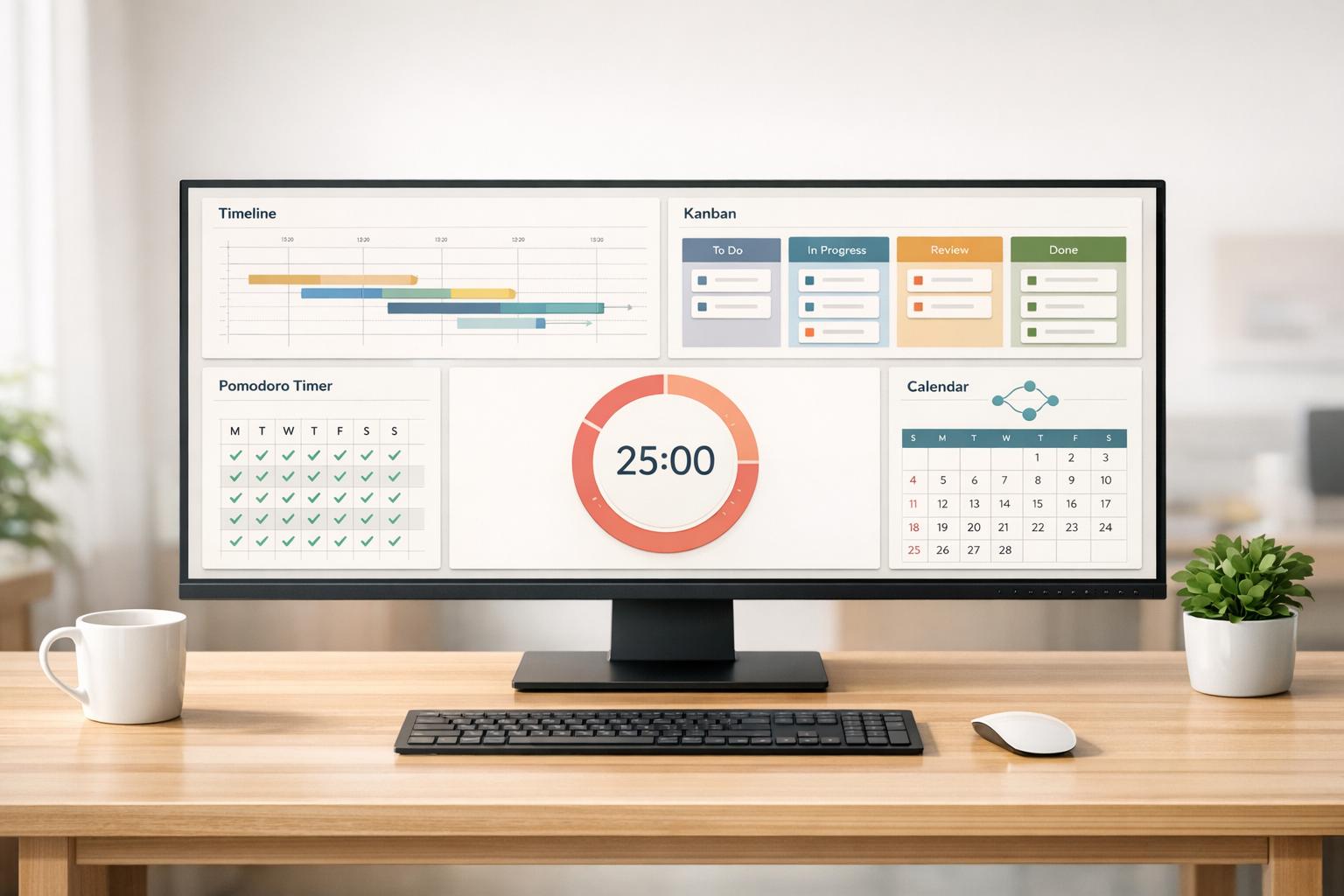
If you’re an ADHD professional, managing tasks and time can feel overwhelming. Visual planning apps are designed to help by turning abstract deadlines into clear, interactive timelines and workflows. These tools address ADHD-specific challenges like time blindness and task paralysis, offering features like color-coded blocks, reminders, and gamified streaks to keep you on track. Here's a quick look at five apps that stand out:
- Tiimo: A visual timeline app tailored for ADHD users with features like customizable time blocks, mood tracking, and Apple Watch integration.
- Trello: A Kanban-style board system that simplifies project workflows with drag-and-drop functionality and color-coded labels.
- Todoist: A task manager with natural language input, priority flags, and a motivational Karma system.
- TickTick: Combines task management with tools like Pomodoro timers, habit tracking, and the Eisenhower Matrix.
- Notion: A customizable workspace for tasks, notes, and databases, offering total flexibility for personal organization.
Each app offers unique tools to help you stay productive and reduce mental strain. Below is a quick comparison to help you choose the best fit.
Quick Comparison
| App | Key Features | Best For | Platforms | Starting Price |
|---|---|---|---|---|
| Tiimo | Visual timeline, AI Co-Planner, mood tracking | Time blindness, daily routines | iOS, Android, Web, Apple Watch | $3.50/month (annual) |
| Trello | Kanban boards, drag-and-drop, automation | Project tracking | iOS, Android, Web, Desktop | Free, $5/month (annual) |
| Todoist | Natural language input, Karma system | Quick task input | iOS, Android, Web, Desktop | Free, $4/month (annual) |
| TickTick | Pomodoro timer, habit tracker, Eisenhower Matrix | Focus and productivity | iOS, Android, Web, Desktop | Free, $3.99/month (annual) |
| Notion | Customizable dashboards, templates | Complex workflows | iOS, Android, Web, Desktop | Free, $8/month (annual) |
These tools can act as your external brain, helping you manage tasks more effectively. Start with one app that fits your needs, and give it a two-week trial to see how it works for you.
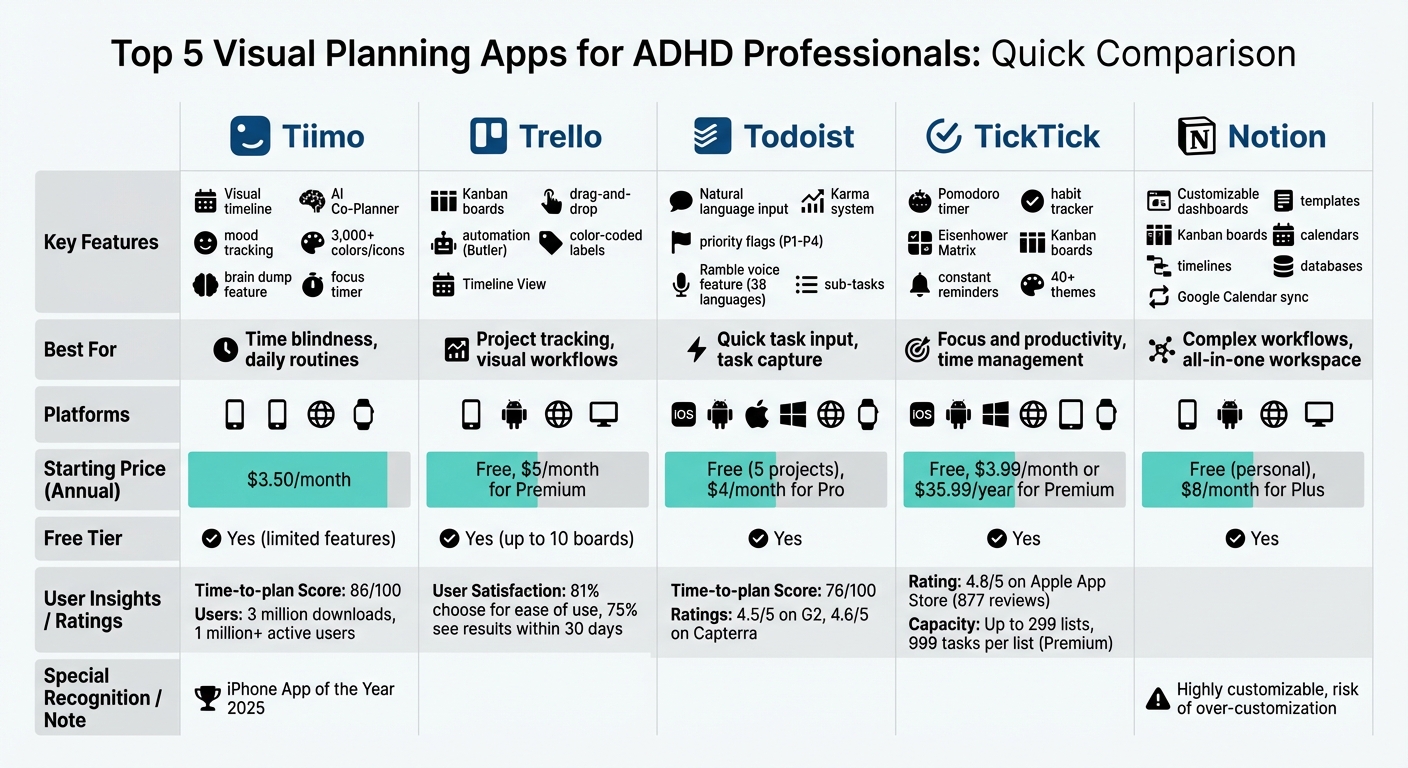
Visual Planning Apps for ADHD Professionals: Feature and Price Comparison
1. Tiimo
Visual Planning Tools
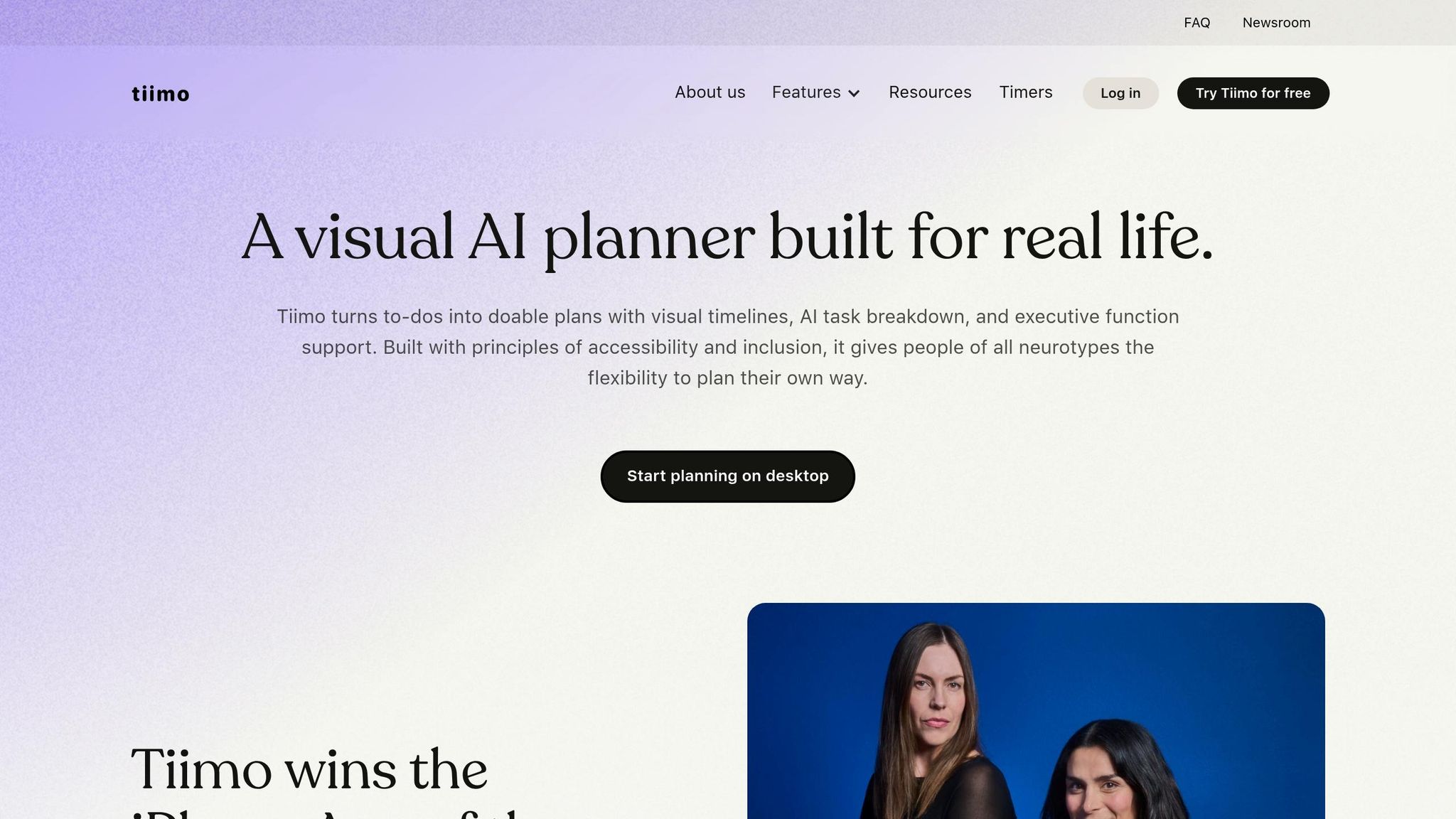
Tiimo takes a fresh approach to planning by swapping out traditional to-do lists for a dynamic, color-coded visual timeline. Your day is laid out as a series of time blocks, flowing from morning to night, with each task represented by customizable colors and icons. With over 3,000 colors and icons to choose from, you can tailor your schedule to suit your style and needs.
The app’s AI Co-Planner is a game-changer for breaking down big projects into smaller, manageable steps, complete with realistic time estimates to help you avoid feeling overwhelmed. If your thoughts are racing, the "brain dump" feature in the to-do tab lets you jot everything down, and the AI organizes it by urgency. A focus timer with a visual countdown keeps you on track during work sessions, making it easier to stay productive.
These tools are especially designed to address challenges commonly faced by individuals with ADHD.
ADHD-Specific Benefits
Tiimo is built with neurodivergent users in mind, offering tools that align with how ADHD brains process time and tasks. The visual timeline helps combat time blindness by clearly showing how long tasks take and how they fit into your day.
"My ADHD and dyslexia showed me how much the world isn't built for brains like mine. We created Tiimo to change that, so planning feels easier and actually works for you."
– Melissa Würtz Azari, Co-Founder and Chief Product Officer at Tiimo
The app also includes mood tracking, allowing users to spot patterns between their energy levels and productivity. This can help in building better routines over time. Unlike traditional planners, Tiimo avoids harsh red "overdue" markers or productivity-shaming features, which can increase anxiety. Instead, it focuses on creating a supportive planning experience. With over 3 million downloads and more than 1 million active users, Tiimo has built a strong community that appreciates its neurodivergent-friendly approach.
Cross-Platform Compatibility
Tiimo works effortlessly across multiple platforms, including iOS, iPadOS, watchOS, Android, and desktop through its web app. This flexibility allows you to plan in-depth on your computer while receiving subtle haptic reminders on your Apple Watch throughout the day. The Apple Watch integration is particularly helpful for staying on track without the constant distraction of checking your phone, making it a practical solution for managing time blindness in the moment.
Pricing
Tiimo offers a free version that includes essential planning tools, a focus timer, to-do lists, and limited AI chat functionality. For those looking for more, Tiimo Pro unlocks unlimited AI planning, custom widgets, advanced scheduling options, and calendar synchronization with Apple and Google Calendar. Pro subscriptions come with a 7-day free trial for yearly plans. The app is completely ad-free and GDPR compliant, with a strict policy against selling user data.
5 Game-Changing Productivity Apps For ADHD
2. Trello
While Tiimo focuses on a timeline-based approach, Trello takes a more flexible route with its board-based system.
Visual Planning Tools
Trello uses a Kanban-style layout with boards, lists, and cards to help you see your projects at a glance. Here's how it works: boards represent your projects, lists track progress (think "To Do", "Doing", and "Done"), and cards hold individual tasks. This setup gives you a clear view of your workflow, making it easier to spot what needs attention and what’s already finished.
One standout feature is the drag-and-drop functionality, which makes it easy to reorganize tasks as priorities shift - something that can happen a lot if you have ADHD. Each card can hold detailed information like descriptions, checklists, attachments, and due dates, helping you break big projects into smaller, more manageable steps. For paid users, the Timeline View offers a broader perspective, showing task assignments, deadlines, and estimated completion times.
ADHD-Specific Benefits
Trello’s design includes features that directly address common ADHD challenges. Its visual workflow helps cut down on overwhelm by clearly prioritizing tasks. Color-coded labels make it easy to categorize tasks based on urgency, required energy, or time commitment - helping reduce decision fatigue.
Another helpful tool is Trello’s Butler automation, which takes care of repetitive tasks so you can focus on what’s most important. This is especially useful when you consider that knowledge workers switch apps about 1,200 times a day - a habit that can sap focus. Trello also integrates with tools like email, Slack, and Microsoft Teams, consolidating communications into organized to-dos and reducing the mental strain caused by constant context switching.
"[Trello is] great for simplifying complex processes. As a manager, I can chunk [processes] down into bite-sized pieces for my team and then delegate that out, but still keep a bird's-eye view."
– Joey Rosenberg, Global Leadership Director, Women Who Code
The numbers back it up: 81% of customers choose Trello for its ease of use, and 75% of organizations report seeing results within just 30 days.
Cross-Platform Compatibility
Trello also ensures you’re never out of reach. It works seamlessly across web, iOS, and Android, so you can access it whether you’re at your desk, on the go, or meeting with clients. This cross-device functionality supports instant task capture, so you can jot down ideas or to-dos before they slip your mind - an essential feature for anyone dealing with spatial memory challenges. Plus, its consistent visual layout across devices ensures tasks stay visible, addressing the object permanence struggles often linked with ADHD.
Pricing
Trello offers a free plan with basic features, while its Premium and Enterprise plans provide access to advanced tools and integrations.
3. Todoist
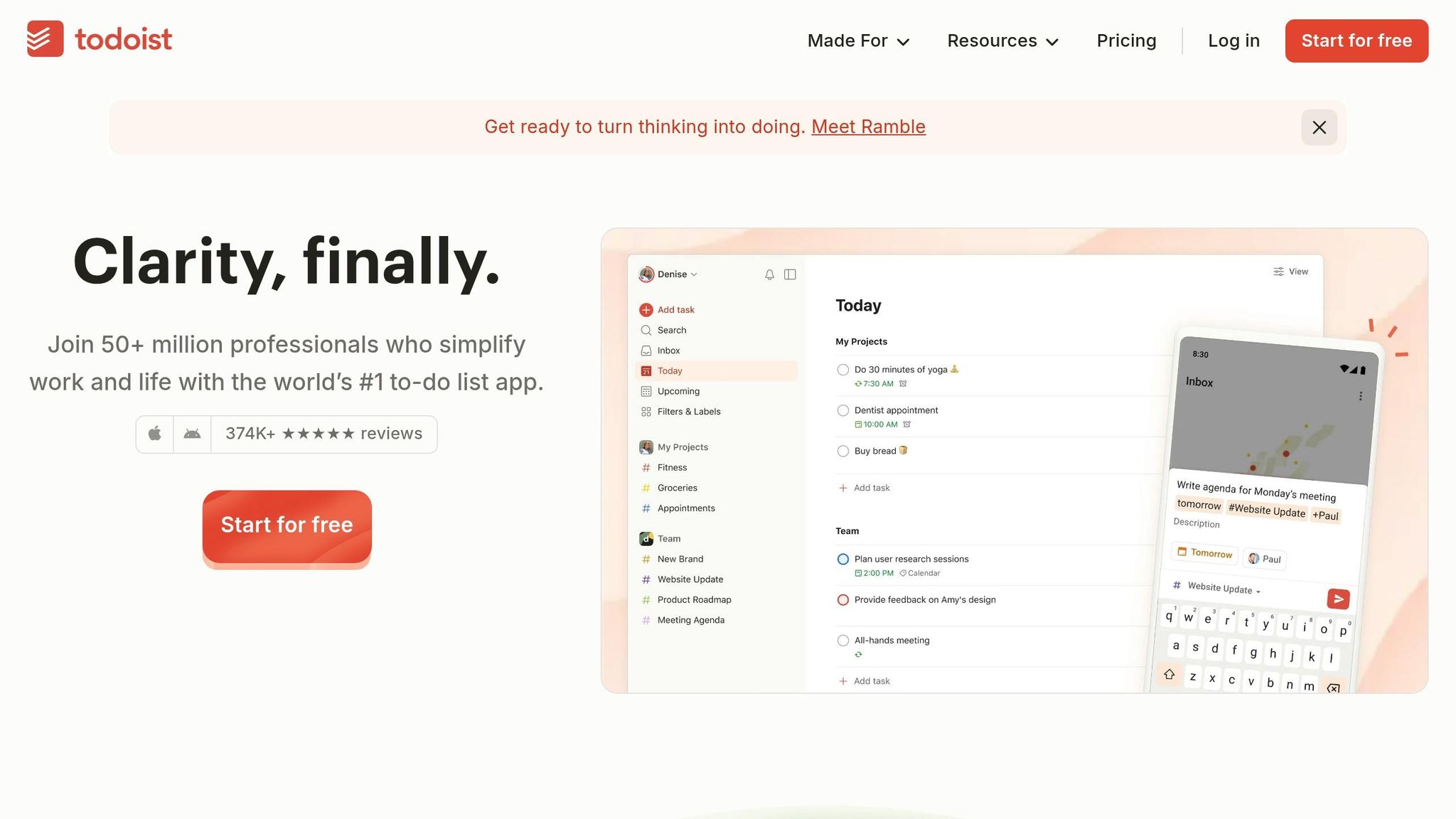
While Tiimo focuses on timelines and Trello uses boards, Todoist stands out with its streamlined approach to task management, allowing users to input tasks using natural language.
Visual Planning Tools
Todoist offers Kanban-style boards, where projects are displayed in columns to help you track progress visually. One of its standout features is the ability to quickly capture tasks using natural language. For example, typing something like "Doctor's appointment Friday at 3 PM" will automatically assign the task a due date, making task entry quick and effortless.
You can break tasks into sub-tasks and sub-projects, which is especially useful for turning large goals into smaller, more manageable steps. To help prioritize, Todoist uses color-coded flags with four priority levels (P1 to P4). Custom filters let you focus on specific tasks, minimizing distractions and decision fatigue. And if typing isn’t your thing, the Ramble feature, introduced in late 2025, converts voice input into fully organized tasks - complete with projects, dates, and priorities. Impressively, this feature supports voice recognition in 38 languages.
This efficient task capture system pairs seamlessly with tools designed to address the unique challenges of ADHD.
ADHD-Specific Benefits
Todoist incorporates features aimed at supporting users with ADHD. For example, its Karma gamification system awards points and tracks streaks, offering a motivational boost. The app has earned high ratings on G2 (4.5/5) and Capterra (4.6/5), with users often praising its clean and easy-to-navigate interface.
For premium users, location-based reminders provide helpful nudges when you arrive at or leave specific places. Additionally, email and web plugins let you add tasks directly from your inbox or browser, reducing the need to switch between apps and helping you stay focused.
Cross-Platform Compatibility
Todoist works seamlessly across a wide range of platforms, including iOS, Android, macOS, Windows, Linux, web browsers, Apple Watch, and browser extensions. The app’s reliable syncing ensures that your tasks and projects are always up-to-date, whether you're working on your phone or at your desk. It also integrates with Google Calendar and Outlook, giving you a unified view of tasks and events.
Pricing
Todoist offers flexible pricing to suit different needs. The free plan supports up to 5 active projects. The Pro plan, at $5/month (billed annually), adds features like reminders, more active projects, and custom themes. For teams, the Business plan costs $8/month (billed annually) and includes shared workspaces and filters. Keep in mind that basic features like reminders require a paid plan.
4. TickTick
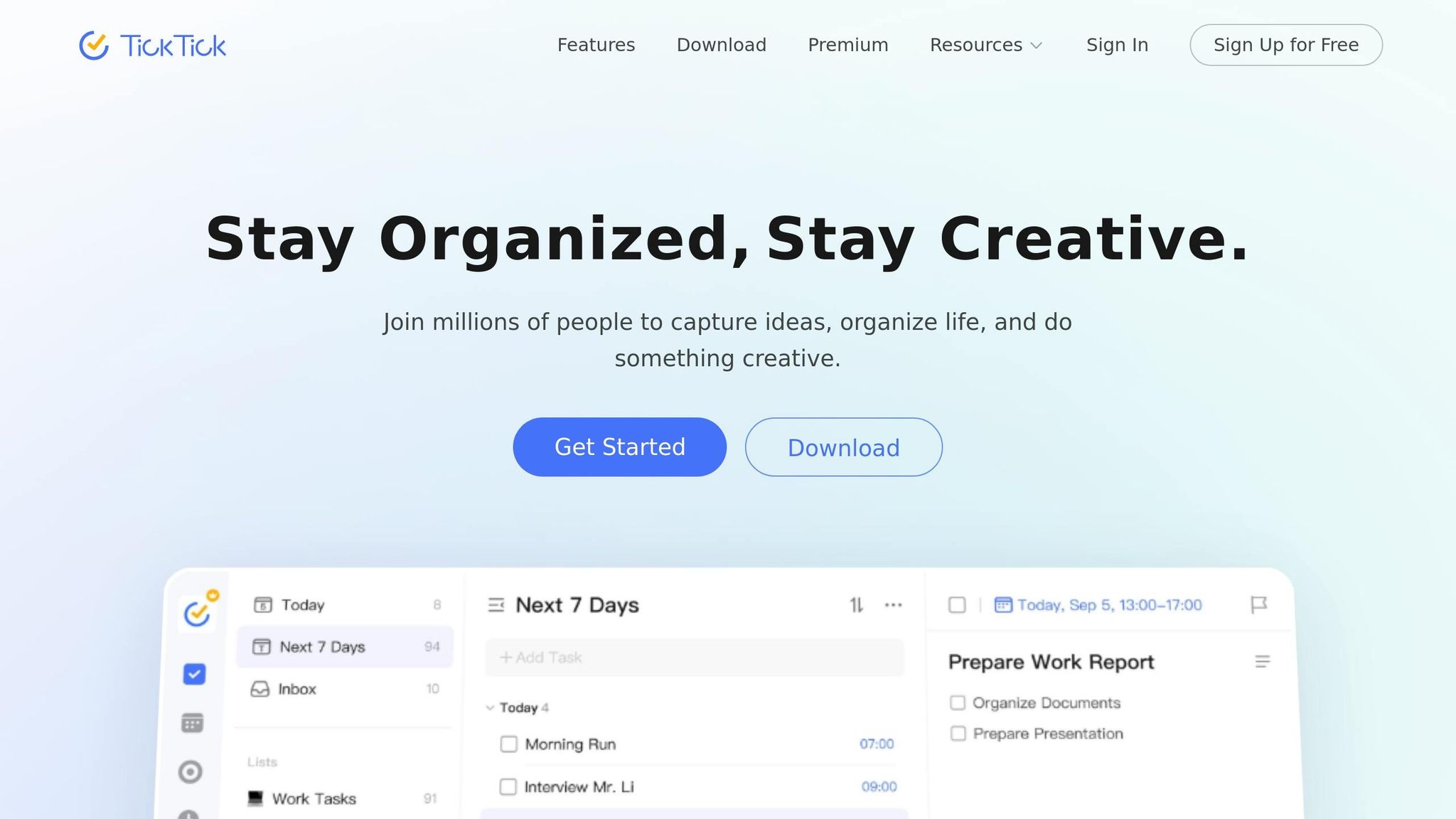
TickTick combines task management, calendar tools, and focus aids to help streamline your daily workflow.
Visual Planning Tools
TickTick provides various visual layouts to simplify task organization. With Kanban boards, you can drag and drop tasks between columns for a clear workflow view, while Timeline views help you track when tasks are scheduled. Multiple calendar views make it easier to identify free time and avoid overbooking.
One of TickTick's standout features is the Eisenhower Matrix, which visually categorizes tasks based on urgency and importance - perfect for managing long to-do lists. The app also uses natural language processing, so typing something like "meeting Thursday at 2 PM" automatically schedules it. Plus, with over 40 customizable themes, you can personalize your workspace. These tools are particularly helpful for addressing common ADHD challenges.
ADHD-Specific Benefits
For professionals with ADHD, TickTick offers several features designed to tackle common productivity hurdles. The Pomodoro Timer helps manage focus by breaking work into 25-minute intervals. Task duration estimates allow for better planning, and Constant Reminders ensure notifications persist until tasks are completed - helping to combat time blindness and prevent important tasks from slipping through during hyperfocus periods .
Premium users can manage up to 299 lists, each with 999 tasks and 199 subtasks, making it easy to break down even the most complex projects. TickTick also boasts a 4.8/5 rating on the Apple App Store, based on 877 reviews.
Cross-Platform Compatibility
TickTick’s features are available across iOS, Android, Mac, Windows, web browsers, tablets, and Apple Watch, ensuring seamless synchronization. It also integrates with tools like Zapier, allowing you to convert emails or Slack messages into tasks without leaving your current app. Voice task capture and natural language input work across all platforms, making it simple to jot down ideas on the go.
Pricing
The free version includes basic task management, one calendar view, limited habit tracking, and a basic Pomodoro timer. Upgrading to the Premium tier costs $35.99 annually (around $3.00 per month) and unlocks advanced features like full calendar access, enhanced habit tracking, custom smart lists, and increased task limits .
5. Notion
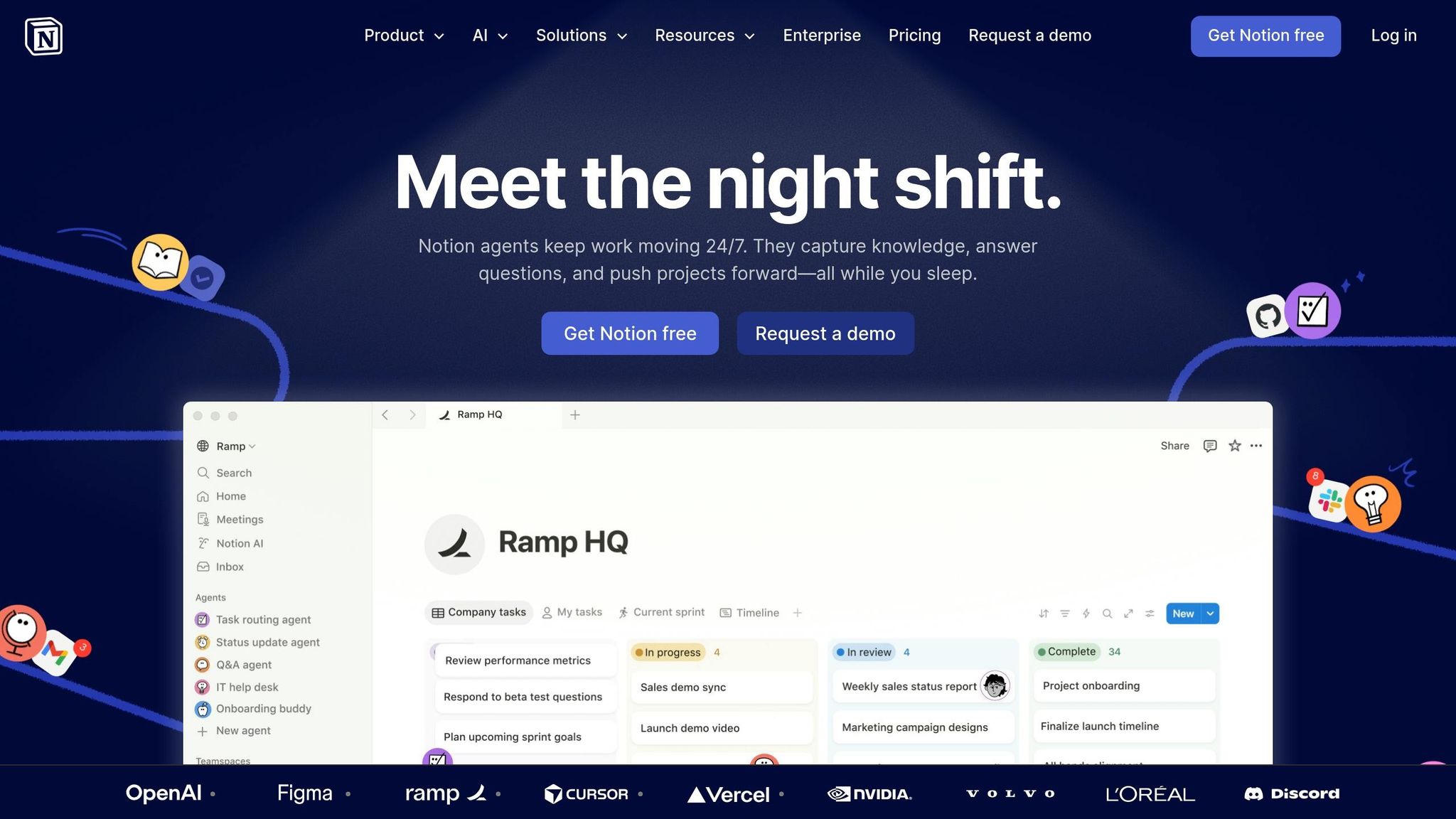
While Tiimo, Trello, Todoist, and TickTick each offer unique ways to manage tasks visually, Notion stands out for its adaptability. It’s more than just a task manager - it’s a workspace that combines notes, tasks, and databases into a completely customizable system. For those who find rigid, pre-set structures limiting, Notion allows you to build an organization system that works exactly the way you want.
Visual Planning Tools
Notion provides a variety of layouts - like Kanban boards, calendars, timelines, and dashboards - that can be tailored to fit your planning needs. Whether you need to track deadlines on a calendar, map out a project timeline, or manage a workflow with task boards, Notion has you covered. Its Notion Calendar connects project databases directly to a calendar view, letting you see deadlines and daily plans in one place. Plus, the two-way sync with Google Calendar ensures your appointments and project tasks stay aligned.
If creating everything from scratch feels daunting, Notion offers pre-made templates for tasks like daily planning, habit tracking, and goal setting. These templates can help you get started quickly without feeling overwhelmed.
ADHD-Specific Benefits
One of Notion’s biggest strengths is its ability to consolidate tools into a single interface. By keeping everything - from tasks to project details - in one place, it reduces the cognitive load that comes with switching between different apps. This streamlined approach makes it easier to stay focused and organized, especially for users with ADHD. To avoid feeling overwhelmed, you can start with a simple setup and expand it as you get more comfortable.
Cross-Platform Compatibility
Notion’s flexibility extends to its accessibility. It syncs seamlessly across desktop, web, iOS, and Android, ensuring you can access your workspace wherever you are. Jot down ideas on your phone and build on them later at your computer - it’s all synced and ready to go.
Pricing
Notion offers a free plan for individual users, which includes a variety of basic tools and templates. For those who need more advanced features, there are paid options: Plus (for greater customization and storage), Business (for team collaboration), and Enterprise (for organizations requiring advanced security features).
Feature and Price Comparison
For ADHD professionals, finding tools that address challenges like time blindness and task paralysis can make a world of difference. The right app depends on your priorities - whether you need a visual timeline, customizable workflows, or budget-friendly options with solid features. Here’s a comparison of key features and pricing to help you identify the best fit.
Tiimo
Tiimo, designed with neurodivergent users in mind, features a color-coded visual timeline that tackles time blindness head-on. With a Time-to-plan score of 86/100 and over 3 million downloads, it’s earned recognition, including being named iPhone App of the Year in 2025. Available on iOS, Android, Web, and Apple Watch, Tiimo’s subscriptions start at $3.50 per month (billed annually) or $10.00 per month on a monthly plan.
Trello
Trello organizes tasks using Kanban-style boards, making it easy to visualize project stages. It offers a free tier supporting up to 10 boards, with paid plans starting at $5.00 per month when billed annually. Trello works across iOS, Android, Web, and desktop platforms.
Todoist
Todoist focuses on quick task capture with natural language input and includes a Karma gamification system to encourage productivity. It has a Time-to-plan score of 76/100 and a 4.5/5 rating on G2. A free tier supports up to five projects, while the Pro version costs $4.00 per month when billed annually.
TickTick
TickTick stands out with its generous free tier and premium plan priced at $3.99 per month or $35.99 annually. Its built-in Pomodoro timer and habit tracker make it a top choice for maintaining focus. On the Apple App Store, it holds an impressive 4.7/5 rating.
Notion
Notion offers extensive customization, allowing users to create dashboards, databases, and calendars. The free personal plan is a strong starting point, while the Plus plan costs $8.00 per month when billed annually ($96.00 per year). However, some users note the risk of "hyperfocus", as it’s easy to spend more time customizing the tool than using it effectively.
All five apps are compatible with multiple platforms, but TickTick and Todoist offer the broadest support, including Linux and various wearables. Tiimo excels with behavioral features like routines and countdowns, and TickTick’s integrated focus tools enhance productivity. Notion’s centralized workspace reduces the cognitive strain of switching between apps - a notable advantage, given that knowledge workers switch apps up to 1,200 times daily.
Ultimately, each app has its strengths for ADHD professionals. Tiimo shines for managing daily routines and time blindness, Trello simplifies project tracking, Todoist is perfect for capturing quick ideas, TickTick offers robust focus tools, and Notion provides full control over workflows with its customizable dashboards.
Conclusion
Visual planning apps act as a much-needed external support system for ADHD professionals, offering the structure that their brains might naturally struggle to create. These tools essentially function as a digital executive assistant, transforming vague tasks into clear, actionable steps. For example, Tiimo's visual timelines and Trello's Kanban boards make it easier to visualize time, break down daunting tasks, and lighten the mental effort of figuring out what to tackle next.
The trick is finding the right fit for your brain. What feels helpful to one person might feel overwhelming to another - there’s no one-size-fits-all solution.
"There's no single app that works for everyone. Try what feels useful, skip what doesn't, and build a setup that meets you where you are".
To get the most out of these tools, start small. Pick one app and commit to using it consistently for at least two weeks. This allows you to move beyond the initial excitement and truly assess whether it offers lasting support or just a temporary boost. And if you miss a day or two? Don’t sweat it - these tools are designed with flexibility in mind.
When choosing an app, take advantage of free trials or basic plans to explore what feels calming rather than overwhelming. Focus on what you need most, whether it’s managing time blindness, capturing quick thoughts, staying focused, visualizing projects, or building workflows that adapt to you. Ultimately, the best app is the one that makes life easier and helps you stay on track with what matters most.
FAQs
Which app is best for time blindness?
Tiimo is a helpful app designed to tackle time blindness. It provides visual timelines, gentle reminders, and structured routines that make it easier for individuals with ADHD to stay on track. These features aim to improve focus, boost organization, and make managing daily tasks less overwhelming.
How do I pick one app without getting overwhelmed?
To keep things manageable, pick a visual planning app that aligns with your personal needs. Look for apps tailored to neurodivergent users, especially those with features like visual schedules, reminders, and mood tracking. Start by pinpointing your primary goal - whether it’s organizing tasks, establishing routines, or easing stress - and try out a few using free trials. Choose tools that are easy to use and customizable to help minimize mental effort. Stick with one app and focus on mastering it rather than bouncing between multiple options.
Can I use one app for both tasks and my calendar?
Many apps, such as Tiimo and Trello, offer the ability to sync tasks with your calendar. This feature helps you manage everything in one place, making it simpler to stay organized and keep track of your goals.